
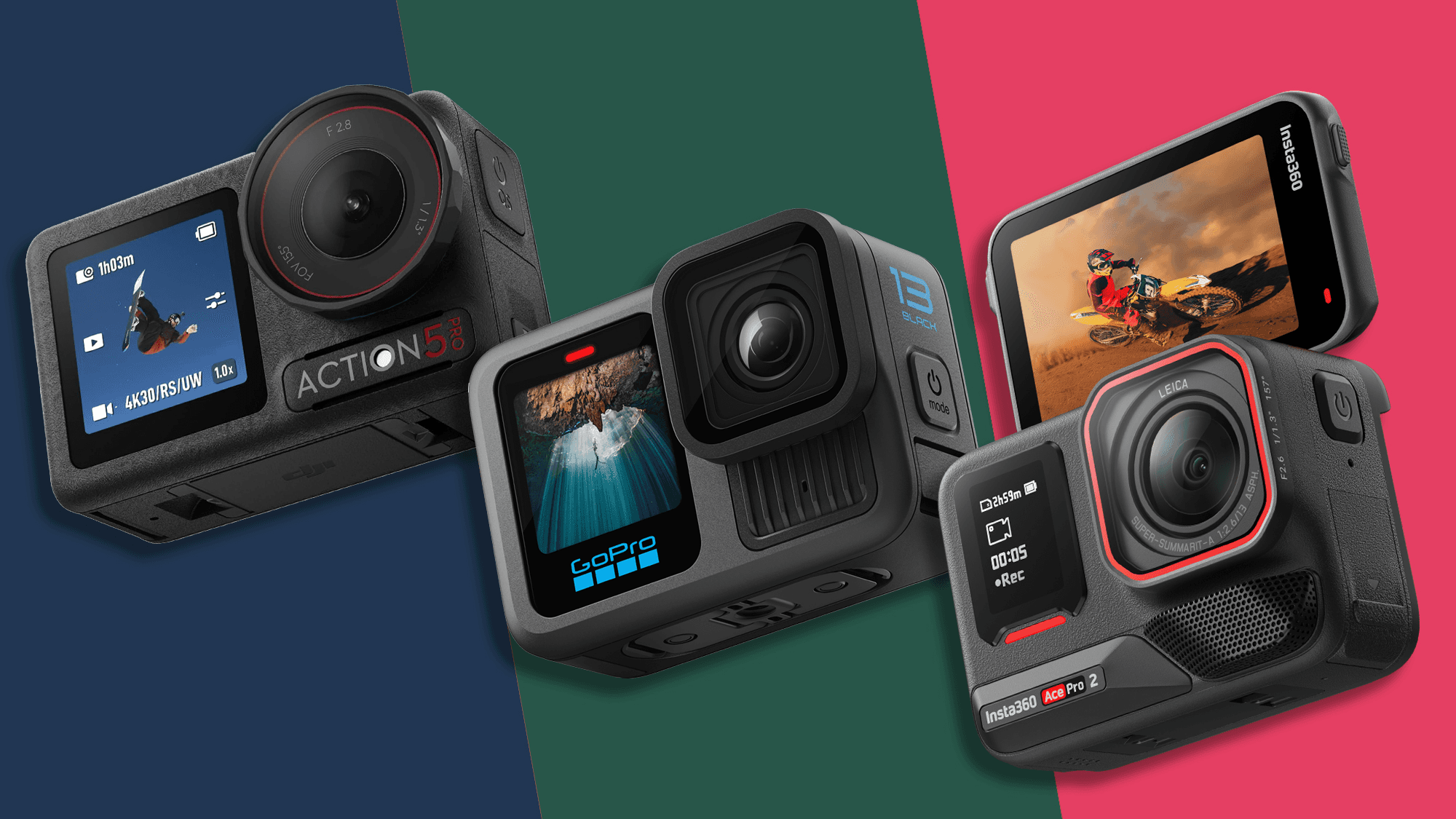
TL;DR
GoPro Hero 13 Black — best overall stabilization + ecosystem; tons of mods, best for fast action and POV.
DJI Osmo Action 5 — best out-of-box color + usability, cooler thermals, great for travel vloggers.
Insta360 Ace Pro 2 — best AI reframing + vertical/landscape flexibility, strong for creators who edit for multiple platforms.
Specs That Actually Matter (at a glance)
Feature | GoPro Hero 13 Black | DJI Osmo Action 5 | Insta360 Ace Pro 2 |
Video modes | 5.3K/4K high-FPS, 10-bit, high bitrate | 4K/5.3K strong profiles, 10-bit | 4K/5.3K + advanced AI reframing/export |
Stabilization | HyperSmooth-class, excellent horizon lock | RockSteady-class, very natural cadence | FlowState-class + smart horizon & subject tools |
Low light | Much improved Night modes, noise control | Best default color and NR in dim cafes/streets | Good with AI de-noise in app |
Screens | Rear + front preview, bright | Brightest dual screens, snappy menus | Rear touch + front preview; smart gestures |
Battery/thermals | Larger pack options; good in heat with latest firmware | Cooler running; efficient at 4K60 | Good overall; depends on AI features usage |
Mounts/ecosystem | Deepest accessories/mods | Strong magnet + frame system | Magnetic quick-release + creator-focused mounts |
App/editing | GoPro Quik, auto highlights | DJI Mimo: quick color, easy exports | Insta360 app: AI reframing, auto verticals |
(Exact modes vary by firmware; focus on real-world differences.)
Image Quality & Color
GoPro Hero 13 Black: Punchy detail with a classic “GoPro look.” Great dynamic range for snow and surf. 10-bit profiles grade well; Flat profile is friendly for color correction.
DJI Osmo Action 5: Most accurate out-of-camera color—skin tones and skies need less tweaking. If you prefer minimal editing, this is the easiest win.
Insta360 Ace Pro 2: Strong detail and smart de-noise; the app’s AI can salvage tricky lighting and produce quick social-ready edits.
Stabilization & Horizon Lock
GoPro still feels the most locked-in for MTB, skiing, and running. Horizon lock is confidence-inspiring for aggressive moves.
DJI has a very natural motion cadence; it looks less “floaty,” which vloggers love.
Insta360 pairs stabilization with subject tracking/reframe tools that let you “aim” after the fact—huge when you can’t retake a shot.
Workflow & Editing Speed
Quick share, minimal edits: DJI Osmo Action 5 (clean color, fast exports).
Heavier edits, LUTs, Final Cut/Premiere: GoPro Hero 13 (high bitrate, Flat profile).
Multi-platform (vertical + horizontal) from one clip: Insta360 Ace Pro 2 (AI reframing, auto keyframes).
Audio & Mics
Built-in mics are fine for ambient and casual vlog intros.
For wind or crowded streets, use USB-C mic adapters or brand wireless mic accessories.
GoPro has the widest third-party mic ecosystem; DJI pairs nicely with DJI’s wireless mics; Insta360 supports popular USB-C mics and on-cam receivers.
Battery, Heat & Reliability
GoPro: Larger Enduro-style batteries hold up in cold; long 4K60 runs are stable with proper airflow.
DJI: Coolest in prolonged 4K recording; fewer thermal cutoffs on hot days.
Insta360: Solid endurance; AI background tasks (de-noise/reframe previews) draw more power—pack spares.
Tip: Cap at 4K60 for long sessions, drop to 4K30 in heat, and carry a 30–45W USB-C charger for fast top-ups between runs.
Mounting & Accessories
GoPro: The deepest accessory universe: helmets, chesties, bite mounts, ND filters, Media Mod, Max Lens mode, dive housings, everything.
DJI: Magnetic quick-release and a tough frame make swaps fast; great for travel sticks and car mounts.
Insta360: Magnetic mounts geared for creators who switch from selfie to POV and need vertical-ready setups instantly.
Which One Fits You? (Personas)
Adrenaline sports / MTB / skiing / surf → GoPro Hero 13 Black“Give me the most bombproof stabilization and mod options.”
Travel vlogger / city explorer / family trips → DJI Osmo Action 5“I want accurate color, simple menus, and cooler running in the sun.”
Shorts/Reels/TikTok creator → Insta360 Ace Pro 2“I need AI reframing and one-tap vertical exports from the same clip.”
Buyer’s Checklist (Copy/Paste)
Do you shoot more sports or more vlogs? (GoPro for sports; DJI for vlogs)
Need AI reframing for vertical/horizontal from one take? (Insta360)
Battery packs and fast charger in your kit (30–45W USB-C)
Mounts for your sport: helmet/chest/handlebar/waterproof housing/ND filters
Mic plan: on-cam wind muff, USB-C mic, or wireless set
Edit path: phone-only vs desktop (Premiere/Final Cut/Resolve)
Setup Tips (Faster Wins)
Set 4K60 as your default; enable Linear + Horizon for POV.
Use 10-bit Flat if you grade; use Standard if you post straight from phone.
Add ND filters for bright days to keep motion natural (1/120s at 60 fps).
Turn on wind reduction and carry a tiny foam wind sock.
Keep spare batteries warm in a pocket; swap before they hit 15–20%.
FAQ
Do I need 5.3K?It’s great for cropping and future-proofing, but 4K60 hits the sweet spot for quality + file size + battery.
Which is best in low light?For walk-and-talk under streetlights, DJI tends to look most natural by default; GoPro and Insta360 benefit from slight NR and exposure tweaks.
Can I live stream?All support live streaming via their apps; stability depends on your phone uplink. Use wired Ethernet on a USB-C hub when possible.
Final Verdict
Best for action sports & accessories: GoPro Hero 13 Black
Best for travel vlogging & easy color: DJI Osmo Action 5
Best for social-first creators: Insta360 Ace Pro 2
Ready to check live pricing?👉 See today’s best offers:
Get the Full Tech Gadgets Reviews Buyer's Guide
Download our detailed comparison with specs, scores, and our honest verdict — delivered straight to your inbox.
Free. No spam. Unsubscribe anytime.
Was this review helpful?
Be the first to share your feedback on this review.
Sign in to vote and let us know what you think.
Discussion (0)
No comments yet. Be the first to start the discussion.
Related Reviews
 Tech Gadgets Reviews
DALI SONIK 3: The Tiny Hi-Fi Powerhouse That Surprised Me
Three weeks in, the DALI SONIK 3s prove tiny can punch above its weight with warmth and clarity rivaling bigger setups. Here's the verdict. Also, value is wild.
 Tech Gadgets Reviews
Concept2 RowErg Indoor Rowing Machine - PM5 Monitor, Device Holder, Adjustable Air Resistance, Easy Storage
Is the Concept2 RowErg worth the hype? Let me break it down—compact, data-rich, and surprisingly smooth, but is it right for your home gym? Read on.
 Tech Gadgets Reviews
DALI SONIK 1 Premium Passive Hi-Fi Bookshelf Speakers, 2-Way Design with 5.25″ Woofer & 1.1″ Soft Dome Tweeter, Black Ash
Is the DALI SONIK 1 worth the hype? Let me break it down. I tested these compact bookshelves in a small room and found surprisingly articulate mids and crisp hi