
Quick Summary
Apple’s MacBook Pro M4 is the pragmatic mid-point in Apple’s recent laptop lineup — a machine tuned for creators who want long battery life, strong single- and multi-core CPU performance, and a stable pro platform without paying top-dollar for the latest silicon refresh. It introduced the M4 family into the MacBook Pro chassis with beefed-up memory bandwidth, improved neural/AI cores, and very competitive real-world battery endurance
If you need a workhorse for video edits, software builds, or multi-app workflows (and you value a headphone jack and MagSafe), the M4 Pro/Max configurations still hit a sweet spot: more GPU muscle and larger unified memory ceilings than the base Air, plus thermal headroom that keeps clocks high under sustained loads. The M4 fleet is a better buy today for many creatives because base prices and deals have softened after the M5 refresh
Buy on Amazon: MacBook Pro M4. Click here
Alternative on Amazon: MacBook Air M4. Click here
Alternative on Amazon: Acer Swift Go 14. Click here
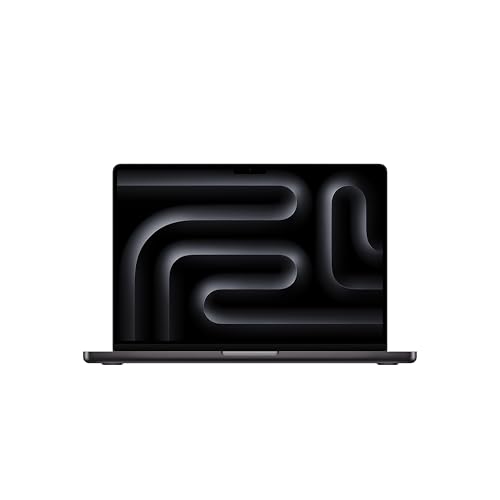
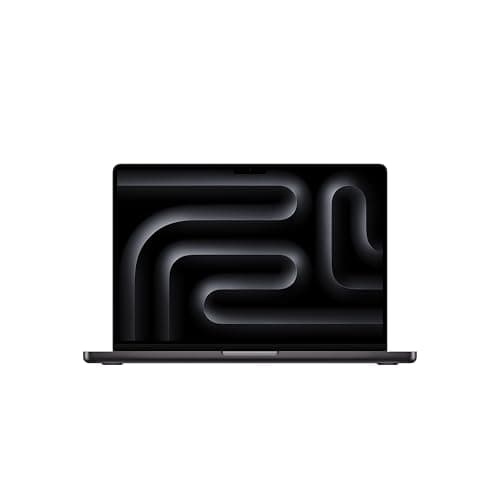
Photo 1: Apple 2024 MacBook Pro Laptop with M4 Pro
Price Range and Deal Timing
Apple launched the M4 MacBook Pros at premium tier prices, but retail and reseller markdowns make them far more approachable now
• Typical street prices (U.S. March 2026 snapshot)
• 14-inch M4 (base M4 or M4 Pro light configs): roughly $1,300–$2,300 depending on CPU/GPU and storage
• 16-inch M4 Pro/Max: roughly $2,200–$4,000+ for high-memory, high-SSD builds
• Base 14-inch configured for pros (16GB RAM / 512GB SSD) commonly lands around $1,599 in retail windows, while deeper-configured M4 Max machines can go well past $3,000
Deal timing guidance
• If you need a laptop now: buy an M4 Pro configuration when you find $150–$400 off the regular price — that’s a sensible saving for near-identical daily performance
• If you can wait 6–10 weeks: watch for clearance cycles tied to new-model launches and major retail events (spring sales and weekly marketplace promotions have produced the best discounts). Recent M5-related announcements have already nudged M4 prices lower
Technical Snapshot (Practical Numbers)
Core Hardware and Feature Profile
• CPU/GPU: M4 family ranges from base M4 (10‑core CPU options) up through M4 Pro and M4 Max with larger CPU/GPU arrays — ideal for parallel video/compute workflows. What buyers feel: more sustained throughput vs. the Air
• Memory tiers: common configs start at 16GB unified memory; M4 Pro/Max options scale into the 48GB–128GB range depending on chip and SKU — important for big Photoshop/DaVinci/VM workloads
• Storage tiers: 512GB, 1TB, 2TB, 4TB and up to 8TB options available for high-end builds — prioritize 1TB if you edit video locally
• Display and IO: 14-inch and 16-inch Liquid Retina panels with high brightness and ProMotion support on some SKUs; multiple Thunderbolt ports and HDMI for multi-monitor setups
Performance and Daily-Use Metrics
• Real-world battery: expect up to ~20–24 hours in light tasks (web browsing, media playback) in optimized settings; sustained heavy workloads will drop this substantially but still outclass many Windows alternatives. In practice, mixed-use days of 8–12 hours are realistic for creative pros
• Heat and sustained clocks: MacBook Pro chassis and M4 thermal headroom allow better long-run throughput than the thin Air line — you’ll see fewer thermal throttling stalls during encodes and compilations
• Portability: 14-inch models weigh roughly 3–3.5 lbs; 16-inch models closer to 4.5–4.8 lbs — choose size based on a balance of screen real-estate vs. carry tolerance
Value and Ownership Math
• Software longevity: Apple silicon Macs continue to receive macOS feature updates for many years; expect a practical ownership window of 5+ years for pro users and even longer for lighter workflows
• Trade‑in and resale: stronger for base and popular configs; buying at a discount materially improves your effective cost per year of useful service. Recent M5 introductions have expanded discount opportunities
Head-to-Head Overview
Short version: MacBook Pro M4 vs MacBook Air M4 vs Acer Swift Go 14
• MacBook Pro M4: better sustained performance, more RAM/SSD ceiling, and thermals for heavy creative workloads. Best for video editors, developers, musicians, and anyone who uses CPU/GPU-bound pro apps for extended periods
• MacBook Air M4: lighter, lower price floor, excellent day-to-day speed for writers, students, and knowledge workers. Choose when portability and battery for light-to-moderate tasks are priorities
• Acer Swift Go 14: a Windows alternative that competes on price-to-performance with OLED/WUXGA display options and AI assist features. Best if you need more I/O variety on a budget, or a more Windows-native workflow for specific pro apps. Base starts near $850 (street) new in North America
Who Should Buy This
• Creative professionals who render or encode frequently and need sustained throughput
• Developers compiling large projects, or researchers running local models where unified memory and GPU cores help
• Buyers who want macOS integration (iPhone/iPad continuity, AirDrop, etc.) plus a machine that remains powerful under load
Who should not
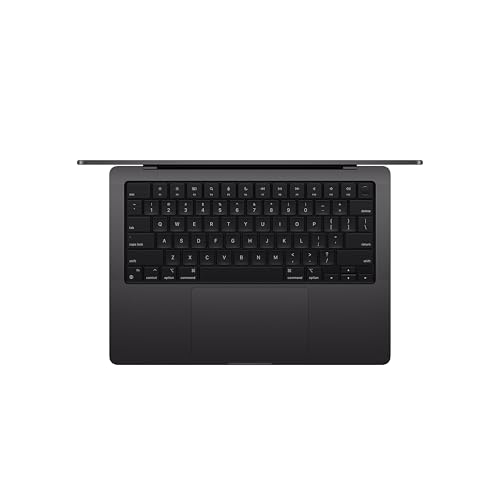
Photo 2: Apple 2024 MacBook Pro Laptop with M4 Pro
• Purely casual users who mainly browse, stream, and handle documents — a MacBook Air or a midrange Windows ultraportable gives better value
• Strict budget shoppers who need an under-$800 machine — the Swift Go and similar Windows notebooks are better fits
Comparison Snapshot
• Performance: M4 Pro/Max outmuscle the Air by measurable margins in multi-threaded tasks and GPU compute
• Battery: M4 Pro MacBook Pro still posts class-leading endurance for heavy/light mixed use; the Air is excellent for lightweight all-day use
• Expandability: all unified memory is soldered (standard Apple approach); choose your RAM and SSD carefully at purchase
• Price-to-power: buy an M4 Pro if you plan to keep it 4+ years; for 2–3 years of lighter workflows, the Air captures better initial value
Buying Advice and Value Check
Practical picks
• Best sweet spot (creative pro, buy-now): 14-inch M4 Pro, 16–24GB unified memory, 1TB SSD. Expect to pay roughly $1,700–$2,200 street for this configuration if you shop deals
• Best long-term heavy-duty pick: 16-inch M4 Max with 48GB–96GB unified memory and 2TB+ SSD — expensive up-front, but worth it if your workflow is GPU/VRAM bound
• Best budget Mac option: 13–15-inch M4 Air (base RAM + 512GB) when discounted to $800–$1,100
Deal-watch checklist
• Watch for spring sale windows and multi-retailer price-matching; major prize drops often follow a new Apple announcement
• Don’t overpay for storage you won’t use — SSD upgrades cost much more post-purchase. Buy the largest RAM you expect to need, because unified memory can’t be changed later
Final Verdict
The MacBook Pro M4 is not a stale generation — it’s a mature, well-balanced pro laptop that delivers meaningful real-world benefits over the Air in sustained workloads, and it still makes sense for many buyers after the M5 launch. If your priority is long-term pro performance, thermal stability, and plenty of RAM/SSD headroom, the M4 Pro/Max family remains a top pick
If you’re sensitive to price and don’t do heavy rendering or local model training, the Air (or a Windows alternative like the Acer Swift Go 14) is likely the smarter buy. But for creators and pros who want a dependable, high-throughput macOS machine that still drops into sale windows, the M4 Pro is often the most pragmatic choice in 2026
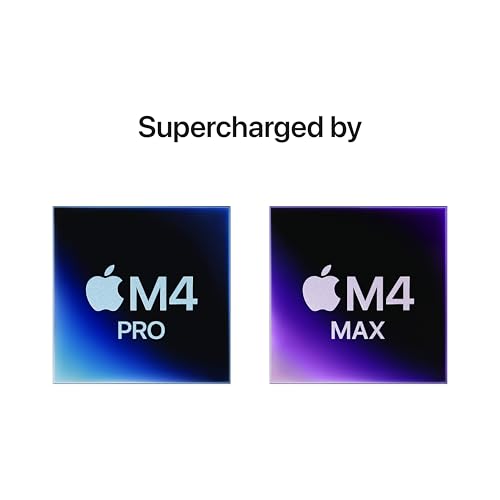
Photo 3: Apple 2024 MacBook Pro Laptop with M4 Pro
FAQ
Q: Is the M4 still worth buying after the M5 arrival? A: Yes—if you need immediate pro-level performance at a lower effective price. New chip launches commonly create discount windows for the previous generation, making the M4 Pro/Max strong value for creators who don’t need the absolute bleeding edge
Q: How much RAM and storage should I buy at purchase? A: Buy the most RAM you realistically need; unified memory is fixed. For creative work, 32GB is a practical baseline; 48GB+ helps with large video timelines or complex ML models. For storage, 1TB is recommended if you edit locally; otherwise 512GB with a fast external drive is a decent compromise
Q: Are there specific M4 configs I should avoid? A: Avoid the smallest SSD/RAM combos if you plan to keep the machine for 4+ years. Also be cautious about paying full price for high-end M4 Max builds right now—watch reseller promotions and seasonal sales for better entry points
Q: How long will Apple support an M4 MacBook Pro? A: Historically, Apple provides major macOS updates and security support for many years; plan on 5+ years of full-feature support and likely longer for security patches and basic compatibility. That makes slightly higher upfront spend defensible for pro buyers
Where to Check Pricing
Check latest Amazon listing for MacBook Pro M4. Click here
Get the Full Tech Gadgets Reviews Buyer's Guide
Download our detailed comparison with specs, scores, and our honest verdict — delivered straight to your inbox.
Free. No spam. Unsubscribe anytime.
Was this review helpful?
Be the first to share your feedback on this review.
Sign in to vote and let us know what you think.
Discussion (0)
No comments yet. Be the first to start the discussion.
Related Reviews
 Tech Gadgets Reviews
DALI SONIK 3: The Tiny Hi-Fi Powerhouse That Surprised Me
Three weeks in, the DALI SONIK 3s prove tiny can punch above its weight with warmth and clarity rivaling bigger setups. Here's the verdict. Also, value is wild.
 Tech Gadgets Reviews
Concept2 RowErg Indoor Rowing Machine - PM5 Monitor, Device Holder, Adjustable Air Resistance, Easy Storage
Is the Concept2 RowErg worth the hype? Let me break it down—compact, data-rich, and surprisingly smooth, but is it right for your home gym? Read on.
 Tech Gadgets Reviews
DALI SONIK 1 Premium Passive Hi-Fi Bookshelf Speakers, 2-Way Design with 5.25″ Woofer & 1.1″ Soft Dome Tweeter, Black Ash
Is the DALI SONIK 1 worth the hype? Let me break it down. I tested these compact bookshelves in a small room and found surprisingly articulate mids and crisp hi