
Introduction
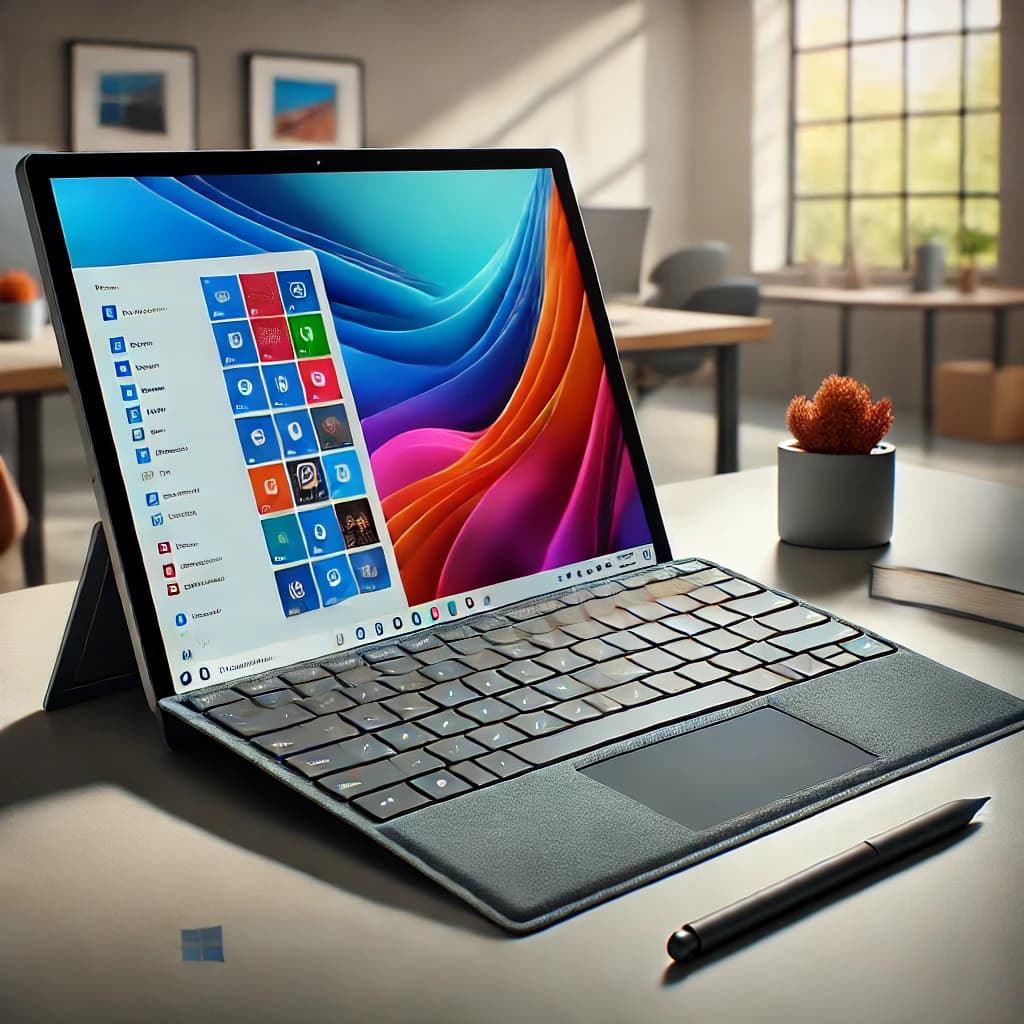
The Microsoft Surface Pro series has long been the gold standard for 2-in-1 devices, offering the perfect blend of power, portability, and versatility. The Microsoft Surface Pro (2024) continues this legacy with impressive upgrades, but does it justify the hype? In this review, we’ll explore its design, performance, battery life, and whether it’s the right device for you.
Design & Build Quality
Microsoft has refined the design of the Surface Pro 2024, making it sleeker and more premium than ever. The signature kickstand remains, allowing for multiple viewing angles, making it perfect for work, creativity, and entertainment.
Key Features:
13-inch PixelSense Flow Display (2880 x 1920 resolution, 120Hz refresh rate)
Ultra-thin magnesium chassis, available in Platinum, Graphite, and Sapphire
Improved Surface Pro Signature Keyboard (optional) with a large precision touchpad
Weight: Just under 2 lbs (without the keyboard)
Performance & Hardware
The 2024 Surface Pro is available in multiple configurations, featuring Intel’s latest 14th-gen Core Ultra processors, up to 32GB of RAM, and 1TB SSD storage. The device is built for multitasking, whether you're a professional handling spreadsheets, a student taking notes, or a designer sketching ideas.
Processor & Performance Options:
Configuration | Processor | RAM | Storage |
Base Model | Intel Core Ultra 5 | 8GB | 256GB SSD |
Mid-Range | Intel Core Ultra 7 | 16GB | 512GB SSD |
High-End | Intel Core Ultra 9 | 32GB | 1TB SSD |
Performance Benchmarks:
Productivity: Runs Microsoft Office Suite and Chrome with multiple tabs seamlessly
Creative Work: Handles Adobe Photoshop, Illustrator, and Lightroom efficiently
Gaming: Can handle casual gaming; not a dedicated gaming device
Battery Life & Connectivity
Microsoft claims an impressive 15-hour battery life on the Surface Pro (2024). In real-world usage, it lasts around 10-12 hours with mixed tasks like web browsing, video streaming, and document editing.
Ports & Connectivity:
2x USB-C Thunderbolt 4
Surface Connect for fast charging
3.5mm headphone jack (still included!)
Wi-Fi 6E and optional 5G models for fast connectivity
Surface Pen & Accessories
One of the standout features of the Surface Pro is its stylus support. The Surface Slim Pen 2 delivers a natural writing experience with haptic feedback that mimics pen-on-paper.
Key Accessories:
Surface Pro Signature Keyboard – Transforms it into a full laptop
Surface Slim Pen 2 – Perfect for note-taking and digital art
Surface Dock 2 – Expands connectivity for a desktop setup
Pros & Cons
✅ Pros:
✔️ Stunning 13-inch 120Hz display ✔️ Powerful Intel Core Ultra processors ✔️ Versatile laptop & tablet functionality ✔️ Great battery life ✔️ Supports Surface Pen & Signature Keyboard
❌ Cons:
❌ Keyboard & Surface Pen sold separately ❌ Pricey compared to traditional laptops ❌ Limited ports compared to MacBooks
Final Verdict: Should You Buy the Microsoft Surface Pro (2024)?
The Microsoft Surface Pro (2024) remains the best 2-in-1 hybrid for professionals, students, and creatives. It’s powerful, portable, and premium, but the additional cost of accessories may be a drawback for some.
💡 Who should buy it? ✔️ Professionals needing a portable work device ✔️ Students who take digital notes ✔️ Creatives who sketch or edit on the go
❌ Who should skip it?
Those on a tight budget (check cheaper alternatives like the Surface Go)
Users needing more ports and a built-in keyboard (consider a traditional laptop)
Where to Buy?
The Microsoft Surface Pro (2024) is available at major retailers:
Microsoft Store
Best Buy
B&H Photo
Final Score: 9/10 ⭐
The Surface Pro (2024) is an outstanding device, but its premium pricing may not be for everyone. If you need the best 2-in-1 experience, this is it. However, if you prefer a traditional laptop, options like the MacBook Air M2 or Dell XPS 13 may be better suited.
Would you buy the Surface Pro (2024)? Let us know in the comments below! 👇
Get the Full Tech Gadgets Reviews Buyer's Guide
Download our detailed comparison with specs, scores, and our honest verdict — delivered straight to your inbox.
Free. No spam. Unsubscribe anytime.
Was this review helpful?
Be the first to share your feedback on this review.
Sign in to vote and let us know what you think.
Discussion (0)
No comments yet. Be the first to start the discussion.
Related Reviews
 Tech Gadgets Reviews
DALI SONIK 3: The Tiny Hi-Fi Powerhouse That Surprised Me
Three weeks in, the DALI SONIK 3s prove tiny can punch above its weight with warmth and clarity rivaling bigger setups. Here's the verdict. Also, value is wild.
 Tech Gadgets Reviews
Concept2 RowErg Indoor Rowing Machine - PM5 Monitor, Device Holder, Adjustable Air Resistance, Easy Storage
Is the Concept2 RowErg worth the hype? Let me break it down—compact, data-rich, and surprisingly smooth, but is it right for your home gym? Read on.
 Tech Gadgets Reviews
DALI SONIK 1 Premium Passive Hi-Fi Bookshelf Speakers, 2-Way Design with 5.25″ Woofer & 1.1″ Soft Dome Tweeter, Black Ash
Is the DALI SONIK 1 worth the hype? Let me break it down. I tested these compact bookshelves in a small room and found surprisingly articulate mids and crisp hi