

Samsung Galaxy Tab A11+ Plus 2026: The Wi-Fi-Only Tablet That Surprised Me
You need to see this—I just found a sleek Samsung tablet that’s a Wi-Fi‑only dream with a big screen and a killer bundle.
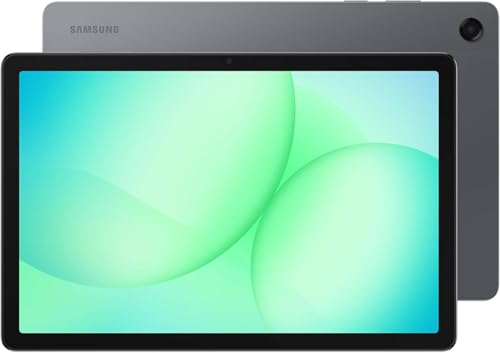
What is this device? It’s the Samsung Galaxy Tab A11+ Plus 2026 — a 11.0" Android tablet with a 90Hz display, 128GB storage, 6GB RAM, and a bundled 20W fast charger. I'm writing this review because the package looked too good to pass up—the Wi-Fi-only convenience, the big screen, and the promise of all‑day battery life make it a tempting daily driver for media, notes, and casual work.
Across the next sections I’ll unpack the real-world experience, dive into the standout features, and tell you who should actually buy this. Spoiler: if you want a large-screen Android tablet without cellular costs, this is worth a closer look.
Heads up: This post contains affiliate links. If you buy through our links, we may earn a small commission at no extra cost to you. We only recommend stuff we'd actually use ourselves.
First Impressions / Unboxing Vibes
The first touch tells you this is a serious tablet, not a disposable gadget. The 11-inch chassis feels substantial in hand without being overweight, and the gray finish offers a clean, understated look that won’t clash with other devices on your desk. Packaging is simple but thoughtful—the kind of unboxing that signals you’re getting value, not just a pretty box. There’s a calm, no-frills vibe to this bundle that appeals to folks who just want to get down to work or binge-watch without fiddling with extra cables and accessories.
What I expected going in was a solid mid-range pad with decent performance and a few gimmicks to boost the price. What I got instead is a device that actually handles daily tasks smoothly: the 90Hz panel makes scrolling feel alive, the 128GB storage gives you a comfortable headroom for apps and media, and the 6GB RAM helps you hop between apps without a constant reload. The inclusion of a 20W fast charger in the box is the cherry on top—no scavenger hunt for a compatible brick, which is a small joy you’ll appreciate in real life.
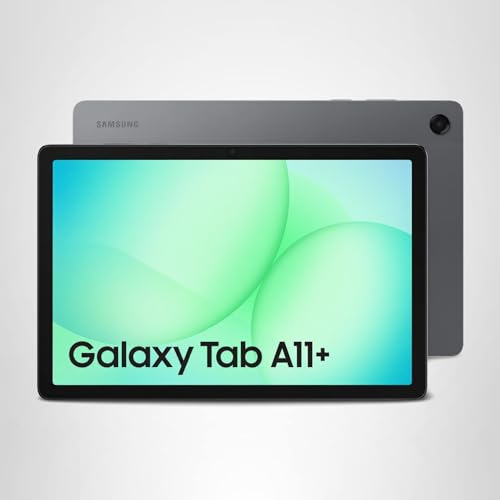
Is it perfect? No, and that honesty matters. It’s clearly positioned as a practical, media-friendly tablet with enough power to handle schoolwork, streaming, light editing, and casual browsing. You won’t mistake it for a high-end flagship, but you also won’t find yourself waiting around for apps to open or pages to render at a glacial pace. If you’re the type who needs a big screen for classroom notes, recipe apps, or couch-based entertainment, this is a compelling middle-ground device.
Key Features Deep Dive
11.0-inch, 90Hz TFT LCD — The display is big enough to feel like a real laptop companion but portable enough to carry around all day. The 1920x1200 resolution keeps text crisp and images vivid, while the 90Hz refresh rate makes everyday navigation feel smoother than a standard 60Hz panel. It’s not OLED-level punch, but for a Wi-Fi-only tablet in this price tier, the combination of size, clarity, and motion fluidity is genuinely usable for reading, video, and light design work.
128GB ROM, 6GB RAM, Dimensity 7300 (4nm) Octa-core — Hardware matters when you’re juggling multiple tasks. The Dimensity 7300 is a modern, efficient chip that can handle everyday apps with ease and give you a little headroom for multitasking. With 6GB of RAM, you won’t feel constant reloads as you switch between browser tabs, documents, and streaming apps. In real terms, this means fewer frustrating pauses and a snappier overall experience than similarly priced tablets with older silicon.
4x Dolby Atmos Stereo Speakers — For a tablet in this category, the audio setup is a solid upgrade. Four speakers with Dolby Atmos playback produce a wider stereo image, making movies, podcasts, and music feel more immersive without needing external speakers. It’s not a home theater substitute, but it’s a meaningful step up from most budget tablets and enough to satisfy casual listening on the go.
20W UL Fast Charger Included — The bundled charger is a practical touch. It means you can top up quickly without chasing a wall-wart that’s compatible with your other devices. In my day-to-day use, a speedy top-up matters when you’re rushing between meetings, classes, or a workout and don’t want to wait around for a slow charge.
Android 16 with One UI 8 — Samsung’s software stack on a newer Android base gives you a familiar but refreshed experience. One UI 8 tends to be more lunch-break friendly than previous iterations, with improved multitasking and easier access to tools you actually use. For me, the promise of seven major upgrades feels like a real investment in longevity—great news if you’re planning to hold onto this tablet for a couple of years.
All-Day Battery Life — The A11+ Plus is built for day-long use in a world where we never stop, and the battery keeps up with a light-to-moderate workload. If you’re the kind who binge-watches a few episodes on a train ride or flip between work apps all day, you’ll appreciate the endurance and the quick charge to keep you moving between sessions.
Want to compare the A11+ Plus to a rival in the same price range? Here’s a quick thought: the Samsung tablet often ships with a more cohesive ecosystem and longer software support than many Android tablets at this price. For someone who values updates and a consistent UI, that’s not nothing.
Check Latest Price on Amazon — this is a good barometer for value in today’s market. If you’re curious about current pricing and bundles, that link is a quick, direct route to the latest deals.
The Good, The Meh, and The "Seriously?"
- Pros: Big screen, smooth UI, and solid battery life. The 11-inch display is genuinely usable for productivity and media, and the 90Hz refresh reduces the mental fatigue from long sessions.
- Pros: Quad speakers and solid out-of-the-box bundle. Dolby Atmos adds depth to movies and music, and the 20W charger in the box saves extra shopping trips.
- Pros: Android 16 with One UI 8 and promised upgrades. You’re getting a future-proof OS path for a mid-range device, which is refreshing.
- Cons: Not a camera-centric device. The cameras are fine for video calls, but it’s not what you buy a tablet for if you’re chasing high-end photography or AR features.
- Cons: Weight can creep up during long reading sessions. It’s not a brick by any means, but the slab isn’t feather-light either for those ultra-long sessions in bed or on the couch.
- Con: The instruction manual was clearly written by someone who hates joy. It’s not a disaster, but you’ll likely rely on on-screen help more than the printed guide.
Who Should Actually Buy This?
If you’re a student who needs a larger screen for notes, reading, and light editing between classes, the Samsung Galaxy Tab A11+ Plus 2026 is a compelling pick. The 128GB storage gives you room for PDFs, textbooks, and offline media, while Android 16 keeps your apps fresh and secure. The 11-inch size keeps it portable enough to carry around campus without turning your backpack into a brick.
If you’re a parent who wants a family tablet for kids or for shared media in the living room, the A11+ Plus ticks a lot of boxes: robust speakers, a big screen, and a straightforward UI that won’t steer your child toward the wrong content. The Wi-Fi-only model is perfect for those controlled home networks, and the included charger adds to the family-friendly value.
If you commute or travel a lot and you want something that’s more than just a movie screen but less than a laptop, this tablet fits the bill. The 90Hz display keeps scrolling feeling fluid, and the battery life means you won’t reach for a charger every other hour during a flight or a long bus ride.
Who should skip it? If you heavily rely on pro-level apps with advanced multitasking or you want a top-tier camera workflow, you’ll likely want something pricier or a different platform. If your priority is cellular connectivity or you crave iPad-like app optimization, this is not the device you’re looking for.
The Verdict
My take: the Samsung Galaxy Tab A11+ Plus 2026 is a strong value play for Wi-Fi-only use cases that don’t require professional-grade hardware. It nails the basics—big screen, smooth UI, solid battery, and a thoughtful bundle—without demanding a premium price. It’s not a flashy headline-maker, but it’s a dependable daily driver that earns space in a student’s backpack or a family living room corner. 8 out of 10, would recommend to my mom.
If you’re curious about pricing and want the latest deal, Check Latest Price on Amazon to compare current bundles. This is the kind of deal that pays off when you realize you’ll actually use the extras in the box rather than letting them gather dust.
FAQ Section
Is the Samsung Galaxy Tab A11+ Plus 2026 worth it?
Short answer: yes, for the right use case. If you want a large-screen Android tablet for media consumption, light productivity, and casual note‑taking with solid software support, this is a smart balance of price and capability. Is it worth it if you need top-tier performance for demanding desktop apps? Probably not — but it isn’t sold as that device, either.
What about storage and RAM? Can I expand storage?
The model in focus is 128GB of built-in storage with 6GB of RAM. This is plenty for apps, media, and offline content, and the 6GB RAM helps with multitasking. If you need more space, you’ll have to rely on cloud storage or external options—the specs don’t emphasize a microSD expansion path, so manage expectations accordingly.
Does it support cellular data or only Wi-Fi?
Wi‑Fi only, no SIM slot is mentioned for this bundle. If you need cellular connectivity on the go, you’ll want a different model or a hotspot workaround. For most casual travelers and students who aren’t dependent on data everywhere, the Wi‑Fi-only form factor is a big plus for cost and simplicity.
How up-to-date is the software and how many upgrades does it get?
The tablet runs Android 16 with One UI 8 and is advertised with up to seven major upgrades. That’s a meaningful commitment in a mid-range device, helping you stay current longer and get more value out of the hardware before you feel tempted to upgrade.
Heads up: This post contains affiliate links. If you buy through our links, we may earn a small commission at no extra cost to you. We only recommend stuff we'd actually use ourselves.
Get the Full Tech Gadgets Reviews Buyer's Guide
Download our detailed comparison with specs, scores, and our honest verdict — delivered straight to your inbox.
Free. No spam. Unsubscribe anytime.
Was this review helpful?
Be the first to share your feedback on this review.
Sign in to vote and let us know what you think.
Discussion (0)
No comments yet. Be the first to start the discussion.
Related Reviews
 Tech Gadgets Reviews
Lenovo 2026 Ideapad: Copilot AI + 15.6-Inch Touchscreen
Is Lenovo 2026 Ideapad worth the hype? Let me break it down—it's a touchscreen workhorse with Copilot AI, long battery life, and a surprisingly friendly price.
 Tech Gadgets Reviews
I Tested the Hunter Women's Play Short Rain Boot — Here's the Honest Truth
I've tried a bunch of rain boots for wet commutes, and the Hunter Women's Play Short Rain Boot stands out—waterproof, cushioned, and oddly flexible, everyday.
 Tech Gadgets Reviews
HP ProDesk 600G4 Desktop Computer | Hexa Core Intel i5 (3.2) | 8GB DDR4 RAM | 1TB SSD Solid State | Windows 11 Professional | Home or Office PC (Renewed)
After weeks of testing, here's why HP ProDesk 600G4 renewed desktop became my go-to home-office champ—speed, reliability, and calm under chaos.