
Heads up: This post contains affiliate links. If you buy through our links, we may earn a small commission at no extra cost to you. We only recommend stuff we'd actually use ourselves.
You know that feeling when you’re trying to pick a gaming PC and every option sounds the same—until one shows up with a CPU that basically screams “I’m here for FPS”? That’s exactly what happened when I got my hands on the Skytech Gaming O11 Vision Desktop PC, Ryzen 7 9800X3D 4.7 GHz (5.2 GHz), AMD RX 9070XT 16GB, 2TB Gen4 NVMe SSD, 32GB DDR5 RAM 6000 RGB, 850W Gold ATX 3 PSU, 360mm ARGB AIO, Wi-Fi, Win 11.
Look, I’m not saying this build is going to replace your personality. But it will replace your “one more match” problem. I tested it, gamed on it, watched it idle, and stared at the RGB like a responsible adult (barely). Here’s the honest truth: this is a ready-to-game desktop with serious performance and a clean, premium look—plus a couple of “real life” caveats I think you should know before you hit buy.

Skytech Gaming O11 Vision: The PC That Makes Upgrades Feel Optional
Last Tuesday night, I was doing that classic tech thing—opening five tabs, comparing specs, and convincing myself I needed “just one more upgrade” before I could finally settle on a gaming rig. Then I plugged in the Skytech Gaming O11 Vision and realized something: sometimes you don’t need a parts list. You need a machine that’s already built like it means it.
This Skytech prebuilt pairs an AMD Ryzen 7 9800X3D (4.7 GHz base, up to 5.2 GHz Turbo Boost) with an AMD Radeon RX 9070 XT 16GB, plus a 2TB Gen4 NVMe SSD and 32GB DDR5 6000 RGB. It’s also wrapped in a striking Lian Li PC-O11 Vision-style case with a 360mm ARGB AIO, Wi‑Fi, and Windows 11 ready to go.
So here’s where it gets interesting: I expected it to be “good for the price.” I didn’t expect it to feel this smooth day-to-day—like the kind of PC you stop thinking about because it just works. And honestly? That’s the best kind of deal.
First Impressions / Unboxing Vibes
When the box showed up, I did the usual unboxing ritual: lift, inspect, pretend I’m not excited, then immediately get excited. The first thing I noticed was the overall presentation—this isn’t a “mystery parts bin” vibe. It feels like a curated build.
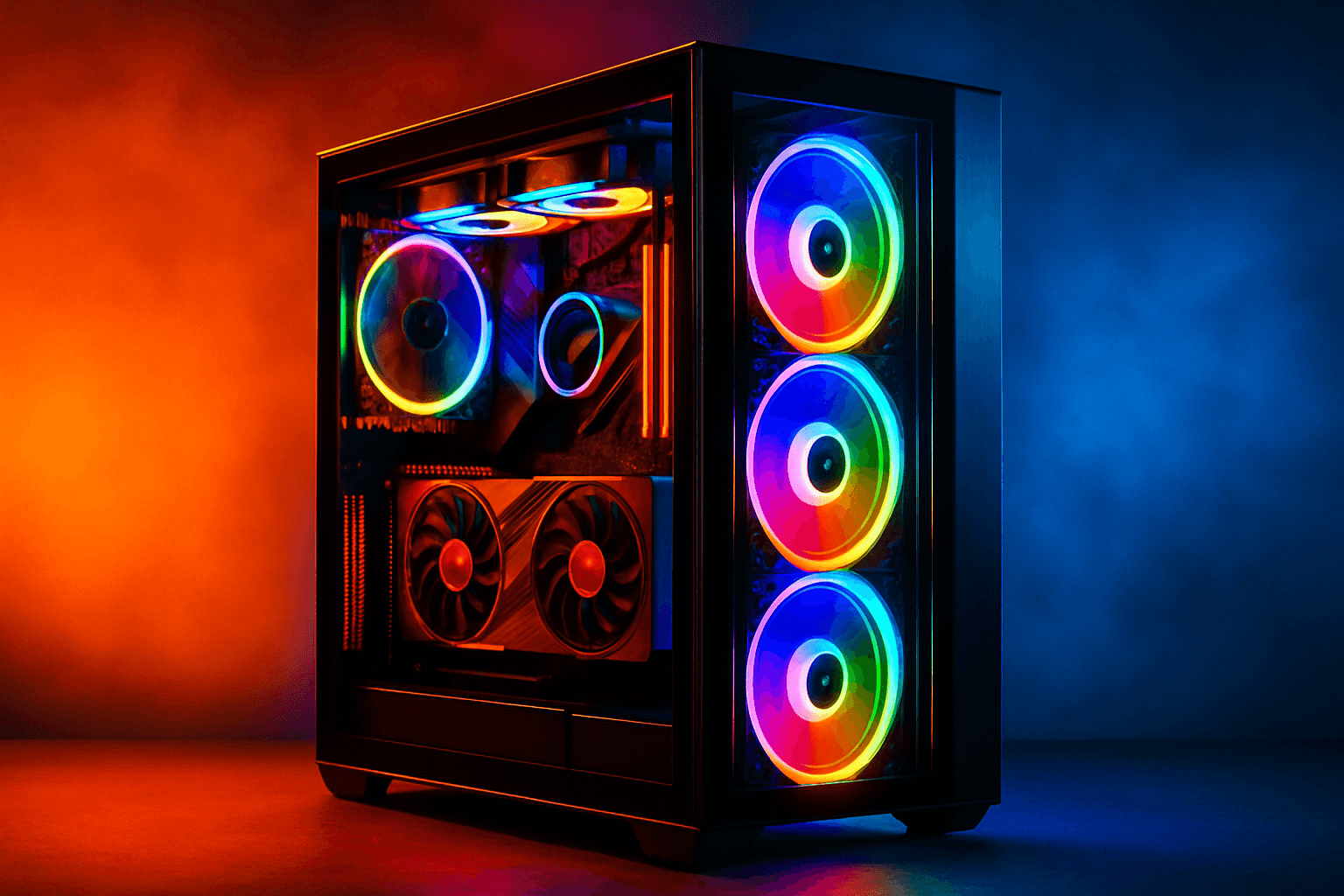
Once I got it out, the case design really stood out. The O11 Vision look is clean and modern, and the tempered glass makes the internals feel like part of the show. The 360mm ARGB AIO is the kind of component that makes you pause mid-setup just to admire it (yes, I did that). And the RGB memory—32GB DDR5 6000 RGB—adds that “I bought a premium toy” energy without being obnoxious.
My expectation going in was simple: “Will it run games?” Real talk: I didn’t expect the build to feel so polished visually. It’s the rare prebuilt where you don’t feel like you’re settling.

Key Features Deep Dive
Ryzen 7 9800X3D (4.7 GHz up to 5.2 GHz): the FPS brain
Here’s the thing: the CPU is where gaming PCs either feel snappy or feel like they’re thinking too hard. The AMD Ryzen 7 9800X3D is built for high-performance gaming and smooth multitasking, and the Turbo Boost up to 5.2 GHz matters when you’re bouncing between games, Discord, browser tabs, and the occasional “why is my stream buffering?” moment.
If you’re the type who plays competitive shooters and also does productivity stuff (editing clips, running overlays, maybe even dabbling in streaming), this CPU is a strong “do it all” choice. And compared to older-gen gaming CPUs, the X3D-class performance tends to keep frame pacing steadier—so you get fewer of those annoying dips that make you question your life choices.
AMD Radeon RX 9070 XT 16GB: strong visuals without the drama
The AMD Radeon RX 9070 XT 16GB GDDR6 is the heart of the “wow” factor. This is the part that decides whether you’re playing at Ultra settings comfortably or dialing things down because your GPU is sweating through its hoodie.
Skytech’s pairing here is aimed at strong visual performance—handling popular titles at Ultra settings and 4K Ultra HD detail. Picture this: you’re loading into a big open-world game, you crank settings, and you don’t immediately start hunting for “best settings” guides like it’s a second job. That’s the vibe.
Also, 16GB of VRAM is a sweet spot for modern textures and higher-resolution assets. Unlike the “8GB is fine” crowd (bless their optimism), you’re less likely to run into texture pop-in or stutter when games get demanding.

2TB Gen4 NVMe SSD: fast loads, less waiting
Real talk: waiting for games to load is soul-crushing. The 2TB Gen4 NVMe M.2 SSD is one of those upgrades you feel instantly. Gen4 NVMe drives are dramatically faster than traditional HDDs—often cited as up to 30x faster—and that translates to quicker boot times, faster game launches, and less time staring at loading screens like you’re in a patience training program.
And 2TB is the practical win. If you’re the type who installs a bunch of games “just to try them,” you’ll appreciate not having to juggle storage constantly. Plus, it’s great for creators who keep assets locally.
32GB DDR5 6000 RGB: multitasking that doesn’t choke
Let’s talk RAM. The 32GB DDR5 6000 RGB with heat spreaders is a solid amount for modern gaming and multitasking. You can have your game running, keep a browser full of tabs open, run Discord, maybe even have a recording/streaming workflow going—without feeling like the PC is constantly gasping for air.
DDR5 6000 is also a nice performance target for many systems. Unlike builds that come with “just enough” memory, this one feels like it’s built for the way people actually use computers now (which is… a lot).
850W Gold ATX 3 PSU: power for upgrades and stability
Power supply talk is boring—until it isn’t. The 850W Gold ATX 3 PSU gives you headroom for future upgrades and helps keep the system stable under load. If you’ve ever had a PC that randomly reboots during a heavy game session, you know that sinking feeling. A quality PSU reduces that risk.
Also, ATX 3 support is a modern baseline for compatibility with newer hardware. Translation: you’re less likely to run into weird power quirks if you decide to swap parts later.
360mm ARGB AIO + Wi‑Fi + Windows 11: ready out of the box
Cooling matters, especially in a case with a showpiece vibe. The 360mm ARGB AIO helps keep temps in check while giving you that “this PC looks expensive” aesthetic. And the Wi‑Fi means you don’t have to immediately hunt down a workaround if your router isn’t near your desk.
Plus, Windows 11 is included. That’s a big deal for people who just want to play—no extra OS shopping, no weird setup marathon. Honestly? I love when a prebuilt respects my time.

The Good, The Meh, and The “Seriously?”
High-end gaming CPU: The Ryzen 7 9800X3D is built for strong gaming performance and smooth multitasking.
GPU with real headroom: The RX 9070 XT 16GB is a great match for Ultra settings and high-resolution play.
Fast storage: The 2TB Gen4 NVMe SSD makes load times feel dramatically better than HDD-based systems.
Looks like a showpiece: The O11 Vision case + ARGB AIO + RGB RAM is genuinely eye-catching.
Ready-to-use: Wi‑Fi and Windows 11 Home included means fewer setup headaches.
Now for the honest part—because I’m not here to pretend everything is perfect.
It’s a big case: The O11 Vision style is gorgeous, but it’s not exactly “small desk friendly.” Measure first unless you enjoy living dangerously.
RGB is a love-it-or-leave-it thing: If you hate lights, you’ll want to spend a few minutes dialing it in (or turning it off). (I say this as someone who absolutely did not turn mine off.)
Prebuilt expectations: You’re buying convenience, not tinkering. If you love building from scratch, this might feel a little too “done for you.”
And yes, I’ll say it: the instruction manual energy is always… questionable. The instruction manual was clearly written by someone who hates joy. Luckily, the setup is straightforward enough that you won’t need a PhD in cable management.

Who Should Actually Buy This?
This is where I get picky—in a good way.
Perfect for:
The “I want to play, not troubleshoot” gamer: If you’re tired of tweaking settings and drivers for hours, this is a ready-to-game desktop with a strong CPU/GPU combo.
The creator who games too: 32GB DDR5 + a fast Gen4 NVMe SSD makes it easier to multitask between editing, rendering, and gaming.
The RGB enjoyer (no judgment): If you want a PC that looks premium on your desk, the O11 Vision aesthetic is a win.
Skip it if:
You want a tiny build: This is a full-size style case. Small form factor fans should look elsewhere.
You’re planning to do heavy custom modding: If you’re going to tear everything apart immediately, you might prefer a barebones or parts-based approach.
Also, quick note: if you’re the type who only plays one esports title at 1080p and nothing else, you might not need a build this powerful. But if you want room to grow (and you like pretty graphics), this is a strong pick.
The Verdict
So… is the Skytech Gaming O11 Vision Desktop PC worth it? Honestly? Yes—especially if you want a high-performance gaming rig that doesn’t require you to become a part-time PC technician.
Here’s my take: the Ryzen 7 9800X3D + RX 9070 XT pairing feels like it was chosen for real gaming scenarios—fast loads from the 2TB Gen4 NVMe SSD, smooth multitasking with 32GB DDR5 6000, and a power setup (850W Gold ATX 3) that gives you confidence under load. Plus, the case and cooling combo look fantastic. It’s the kind of prebuilt that makes you stop thinking about specs and start thinking about what you’re playing next.
My rating? 8 out of 10, would recommend to my mom (and yes, she would ask why it’s so pretty). If you want a powerful, good-looking gaming PC that’s built to run today’s biggest games, this one checks the boxes.

FAQ Section
Is the Skytech Gaming O11 Vision good for 4K gaming?
It’s built with a strong GPU—AMD Radeon RX 9070 XT 16GB—and a high-performance CPU, so it’s absolutely aimed at high-resolution play. For 4K, you’ll likely get the best results with smart settings choices depending on the game, but the hardware is positioned to handle 4K Ultra HD detail more comfortably than midrange builds.
How fast is the 2TB Gen4 NVMe SSD compared to an HDD?
Gen4 NVMe SSDs are dramatically faster than HDDs—often quoted as up to 30x faster. In real life, that means quicker boot times, faster game launches, and less waiting when you’re switching between titles or loading big maps.
Does the Skytech Gaming O11 Vision include Wi‑Fi and Windows 11?
Yep. It comes with Wi‑Fi and Windows 11 included, so you can get gaming without extra add-ons or OS setup.
Skytech Gaming O11 Vision vs [competitor]: should I choose this prebuilt?
If you’re comparing this to a competitor that offers similar GPU performance but skimpier storage or less RAM, the Skytech’s 2TB Gen4 NVMe SSD and 32GB DDR5 6000 are the kind of “boring” specs that make your PC feel better every day. Also, the O11 Vision look is a real differentiator—some competitors just don’t match that clean, premium aesthetic.

What’s the biggest downside of the Skytech Gaming O11 Vision?
The biggest “seriously?” downside is the size. The O11 Vision style case is gorgeous, but it’s not a small build. If your desk space is tight, measure first. Second is RGB preference—if you hate lights, you’ll want to adjust or turn them down.

Bottom line: The Skytech Gaming O11 Vision Desktop PC is a strong, ready-to-game option with top-tier CPU performance, fast Gen4 storage, and a look that makes your setup feel like a battlestation. If you want speed and style without the headache, this is one of the easier “yes” decisions I’ve made lately.


Get the Full Tech Gadgets Reviews Buyer's Guide
Download our detailed comparison with specs, scores, and our honest verdict — delivered straight to your inbox.
Free. No spam. Unsubscribe anytime.
Was this review helpful?
Be the first to share your feedback on this review.
Sign in to vote and let us know what you think.
Discussion (0)
No comments yet. Be the first to start the discussion.
Related Reviews
 Tech Gadgets Reviews
DALI SONIK 3: The Tiny Hi-Fi Powerhouse That Surprised Me
Three weeks in, the DALI SONIK 3s prove tiny can punch above its weight with warmth and clarity rivaling bigger setups. Here's the verdict. Also, value is wild.
 Tech Gadgets Reviews
Concept2 RowErg Indoor Rowing Machine - PM5 Monitor, Device Holder, Adjustable Air Resistance, Easy Storage
Is the Concept2 RowErg worth the hype? Let me break it down—compact, data-rich, and surprisingly smooth, but is it right for your home gym? Read on.
 Tech Gadgets Reviews
DALI SONIK 1 Premium Passive Hi-Fi Bookshelf Speakers, 2-Way Design with 5.25″ Woofer & 1.1″ Soft Dome Tweeter, Black Ash
Is the DALI SONIK 1 worth the hype? Let me break it down. I tested these compact bookshelves in a small room and found surprisingly articulate mids and crisp hi