
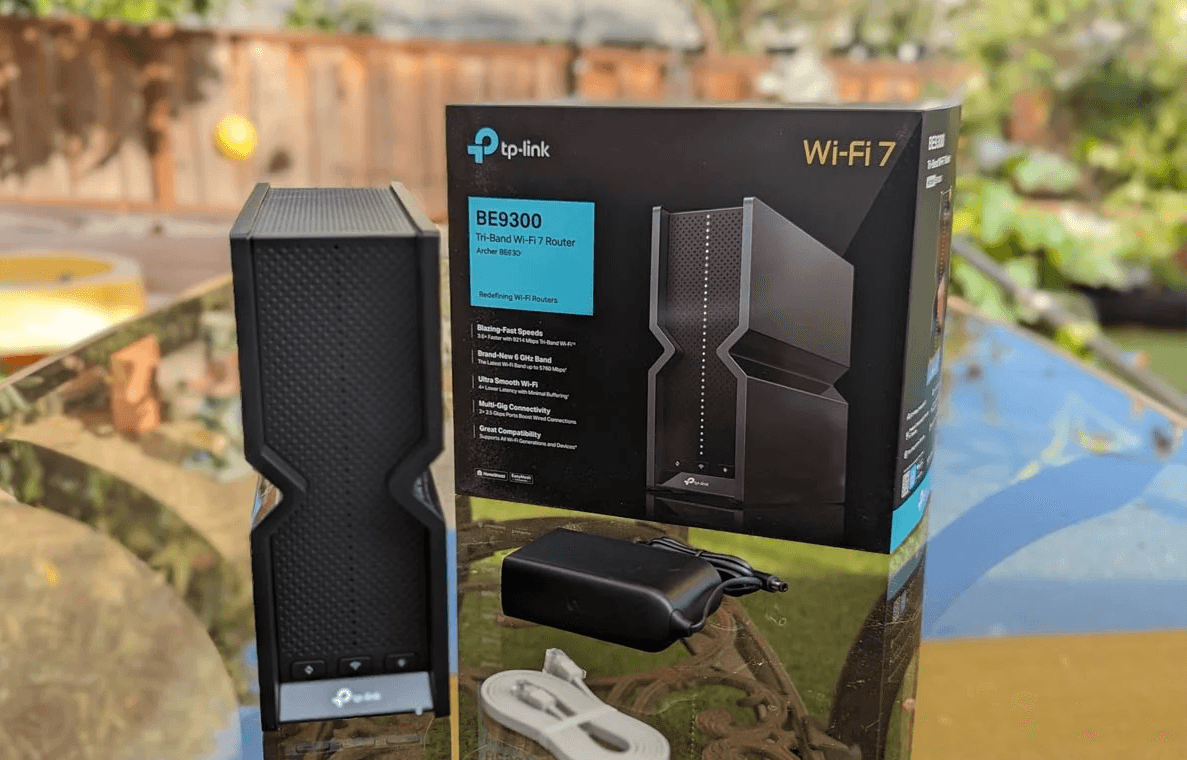
TL;DR
Wi-Fi 7 tri-band (BE9300) with MLO, 320 MHz (6 GHz), and 4K-QAM for higher throughput and lower latency.
5× 2.5G ports (1× WAN + 4× LAN) to break the 1 Gbps bottleneck.
EasyMesh-compatible for whole-home coverage without ditching the router you like.
Best for small-to-mid homes with Gigabit+ internet and lots of devices.
Why this router stands out
The Archer BE550 brings core Wi-Fi 7 tech—Multi-Link Operation (MLO), 320 MHz wide channels on 6 GHz, Multi-RUs, and 4K-QAM—to a friendlier price point. That means better peak speeds and snappier latency, especially for 6 GHz-capable phones and laptops. You also get five 2.5G ports (one WAN, four LAN), which is rare in this price class and perfect for multi-gig ISPs, NAS boxes, or gaming PCs. It’s also EasyMesh-compatible, so you can add TP-Link EasyMesh nodes later if you discover dead zones.
Real-world fit
Streaming & gaming: Tri-band helps spread busy devices; 6 GHz is a clean fast lane for newer clients.
Work-from-home: 2.5G LAN uplinks for desktop, dock, or NAS; per-device QoS and HomeShield security. TP-Link
Upgraders from Wi-Fi 5/6: Expect faster local transfers, lower latency, and better performance at range for Wi-Fi 7 clients; older clients still benefit from improved radios.
Key specs (at a glance)
Feature | Details |
Bands / rating | Tri-band BE9300 (6 GHz + 5 GHz + 2.4 GHz) |
Theoretical rates | 6 GHz: 5760 Mbps, 5 GHz: 2880 Mbps, 2.4 GHz: 574 Mbps |
Wi-Fi 7 features | MLO, 320 MHz, 4K-QAM, Multi-RUs, OFDMA, MU-MIMO |
Antennas | 6× internal + beamforming |
Wired ports | 1× 2.5G WAN + 4× 2.5G LAN, 1× USB 3.0 |
Security / app | HomeShield, WPA3, Tether app setup & management |
Mesh | EasyMesh-compatible |
Modes | Router mode, Access Point mode |
Power | 12 V ⎓ 3.3 A |
Pros & cons
Pros
True Wi-Fi 7 feature set at an approachable price.
Five 2.5G ports—excellent for NAS and multi-gig ISP plans.
EasyMesh lets you expand coverage later without swapping ecosystems.
Solid range and throughput for multi-level homes, per independent tests.
Cons
Not a mesh kit out of the box; far-edge speeds still drop vs. closer rooms (typical of single routers).
Some EasyMesh behaviors (e.g., AP-mode + certain backhauls) may depend on firmware—check release notes.
Competes with pricier 4×4 Wi-Fi 7 units that can edge it out in raw capacity.
Who should buy this?
Households on Gigabit or 2 Gbps plans who want a single powerful router with room to grow.
Gamers / creators with a 2.5G NAS/PC who need fast LAN transfers.
Upgraders who want Wi-Fi 7 benefits now and the option to add EasyMesh nodes later.
Skip it if you already know you need a mesh kit today (very large homes) or if you require 10G networking on day one.
Setup tips (faster wins)
If your ISP plan exceeds 1 Gbps, enable 2.5G WAN and verify link rate in the web UI.
Put Wi-Fi 7 / 6 GHz on a distinct SSID for early-adopter devices, then enable MLO as clients support it.
Use wired backhaul if you add EasyMesh nodes for best stability.
Turn on HomeShield basics (IoT network, per-device QoS, new-device alerts).
FAQ
Is the BE550 EasyMesh-compatible?Yes—TP-Link lists it as EasyMesh-compatible; behavior can vary by firmware and network topology.
How fast is it, really?Theoretical wireless rates top out at BE9300 across the three bands (5760/2880/574 Mbps). Real-world testing shows excellent top speeds and very good range for a single router.
What about wired performance?You get five 2.5G ports—rare at this price—so LAN transfers and multi-gig ISP links aren’t capped at 1 Gbps.
Final verdict
If you want next-gen Wi-Fi 7 without paying flagship prices, the Archer BE550 nails the essentials: fast radios, 5× 2.5G for wired gear, and EasyMesh expansion. For most small-to-mid homes on Gigabit+ service, it’s the new sweet spot.
Curious about the current price? Check it here → https://amzn.to/481ciBR
Get the Full Tech Gadgets Reviews Buyer's Guide
Download our detailed comparison with specs, scores, and our honest verdict — delivered straight to your inbox.
Free. No spam. Unsubscribe anytime.
Was this review helpful?
Be the first to share your feedback on this review.
Sign in to vote and let us know what you think.
Discussion (0)
No comments yet. Be the first to start the discussion.
Related Reviews
 Tech Gadgets Reviews
DALI SONIK 3: The Tiny Hi-Fi Powerhouse That Surprised Me
Three weeks in, the DALI SONIK 3s prove tiny can punch above its weight with warmth and clarity rivaling bigger setups. Here's the verdict. Also, value is wild.
 Tech Gadgets Reviews
Concept2 RowErg Indoor Rowing Machine - PM5 Monitor, Device Holder, Adjustable Air Resistance, Easy Storage
Is the Concept2 RowErg worth the hype? Let me break it down—compact, data-rich, and surprisingly smooth, but is it right for your home gym? Read on.
 Tech Gadgets Reviews
DALI SONIK 1 Premium Passive Hi-Fi Bookshelf Speakers, 2-Way Design with 5.25″ Woofer & 1.1″ Soft Dome Tweeter, Black Ash
Is the DALI SONIK 1 worth the hype? Let me break it down. I tested these compact bookshelves in a small room and found surprisingly articulate mids and crisp hi