
How to Choose the Best Laptop in 2026: Complete Buying Guide
Choosing the right laptop can feel overwhelming given the vast array of options available in 2026. Many buyers make the mistake of focusing only on looks or price, neglecting crucial performance features that impact daily use. This guide will help you understand how to choose a laptop that perfectly fits your needs while avoiding common pitfalls.
Key Features to Look For
1. Processor (CPU)
The processor is the brain of your laptop and determines its speed and performance. A powerful CPU like the latest Intel Core i5/i7 or Apple’s A18 Pro chip ensures smooth multitasking, faster app launches, and better longevity.
2. RAM (Memory)
RAM affects how many applications you can run simultaneously without slowdown. For casual users, 8GB is a solid baseline, but for gaming, video editing, or heavy multitasking, 16GB or more is recommended.
3. Storage Type and Capacity (SSD vs HDD)
Solid State Drives (SSD) dramatically improve boot times and file access speeds compared to traditional hard drives. Aim for at least 256GB SSD for a balance of speed and storage, but 512GB or higher is ideal for large files.
4. Display Quality and Size
A sharp, bright display enhances your viewing experience. Look for a Full HD (1920 x 1080) or higher resolution screen. Size depends on portability needs: 13-14 inches for travel, 15-16 inches for workstations.
5. Battery Life
Long battery life is crucial for on-the-go productivity. Look for laptops offering 8+ hours of use to avoid frequent charging interruptions.
6. Build Quality and Portability
Durable materials and a lightweight design make a laptop easier to carry and more resistant to wear and tear, especially if you travel or commute often.
7. Connectivity Options
Ensure the laptop has enough ports (USB-C, HDMI, headphone jack) and supports fast Wi-Fi standards for seamless device connections and internet access.
What to Avoid
- Outdated or Low-End CPUs: Avoid laptops with processors that can’t handle current software demands, such as older Intel Celeron or low-tier ARM chips.
- Insufficient RAM: Less than 8GB RAM today often leads to sluggish performance, especially with multiple tabs or apps open.
- Slow Hard Drives: Traditional HDDs cause slow boot and file loading times. SSDs are the standard for speed and reliability.
- Poor Display Resolution: Low-res screens cause eye strain and reduce image clarity. Avoid anything below 1080p.
- Non-Standard or Limited Ports: Beware of laptops with minimal ports that require expensive adapters for everyday connectivity.
- Battery Life Under 5 Hours: Short battery life limits mobility and convenience.
- Cheap Build Materials: Fragile plastics or loose hinges compromise durability.
Our Top Picks
Apple 2026 MacBook Neo 13-inch Laptop with A18 Pro chip

Ideal for creatives and professionals who need a powerful, portable machine with a stunning Liquid Retina display and excellent battery life. The integrated 8GB unified memory and 256GB SSD provide smooth performance for AI-driven apps and everyday use.
✓ Powerful Apple A18 Pro chip for top-tier speed✓ Brilliant 13-inch Liquid Retina Display
✓ Lightweight and portable design
✗ Limited upgrade options
✗ Higher price point
HP Essential Laptop Computer for Student Daily Study

Perfect for students and budget-conscious buyers who need a reliable machine for everyday tasks. It features an Intel N150 processor, 4GB RAM, and 128GB storage — suitable for note-taking, browsing, and light productivity.
✓ Affordable and lightweight✓ Long battery life with fast charging
✓ Comes with Microsoft Office 365
✗ Limited RAM for heavy multitasking
✗ Smaller storage capacity
Laptop Buying & Maintenance Guide 2026
Not a laptop itself, but this expert guide is an excellent resource for anyone wanting to master the laptop selection process and maintenance to extend device life. It covers strategy, common mistakes, and upkeep tips.
✓ Expert strategies for selecting the right laptop✓ Tips to avoid costly mistakes
✓ Maintenance advice to keep your device running smooth
✗ Not a physical laptop
✗ Requires purchase
Laptop Buying Made Easy (Full Color Guide)
This colorful, comprehensive guide breaks down the laptop buying process step by step, helping beginners avoid overwhelm and make confident decisions based on their unique needs.
✓ Clear, easy-to-follow advice✓ Covers latest laptop tech and trends
✓ Great for first-time buyers
✗ Not a physical laptop
✗ Requires purchase
Budget Guide: What You Get at Each Price Point
Under $400: Basic laptops with entry-level CPUs (Intel N series, AMD A series), 4-8GB RAM, and 128GB SSD or eMMC storage. Best for web browsing, emails, and light office work. Battery life and build quality are usually modest.
$400 – $800: Mid-range machines with better processors (Intel i3/i5, AMD Ryzen 3/5), 8GB RAM, and 256GB SSD. Suitable for multitasking, streaming, and light content creation with improved display quality and battery life.
$800 – $1,200: Performance-focused laptops with advanced CPUs, 8-16GB RAM, and 512GB+ SSDs. Ideal for professionals, students, and gamers who need more power and portability. Expect better build materials and brighter displays.
$1,200+: Premium ultrabooks and professional-grade machines featuring the latest Intel or Apple Silicon processors, 16GB+ RAM, and fast SSDs. Excellent for video editing, gaming, and AI workloads with top-tier displays, battery life, and build quality.
Frequently Asked Questions
1. How much RAM do I need in a laptop for everyday use?
For basic tasks like browsing, streaming, and office apps, 8GB RAM is generally sufficient. If you multitask heavily or use demanding applications, 16GB or more is better.
2. Should I choose an SSD or HDD for storage?
Always opt for an SSD if possible. SSDs provide faster startup, quicker file access, and better durability than HDDs, significantly improving overall laptop responsiveness.
3. What is the ideal screen size for portability?
A 13-14 inch screen offers a great balance between portability and usability, perfect for travelers and students. Larger screens (15-16 inches) are better if you prioritize workspace over mobility.
4. How important is battery life when choosing a laptop?
Battery life is crucial if you work away from power outlets. Aim for laptops that offer at least 8 hours of battery life to ensure all-day use without frequent recharging.
5. Are more CPU cores better for laptops?
Yes, more cores generally improve multitasking and performance in demanding software. Modern laptops with quad-core or higher processors handle most tasks smoothly.
Get the Full Laptops & Computing Buyer's Guide
Download our detailed comparison with specs, scores, and our honest verdict — delivered straight to your inbox.
Free. No spam. Unsubscribe anytime.
Was this review helpful?
Be the first to share your feedback on this review.
Sign in to vote and let us know what you think.
Discussion (0)
No comments yet. Be the first to start the discussion.
Related Reviews

Chromebook vs MacBook for Students (2026): Which Should You Actually Buy?
If you’re trying to decide between a Chromebook and a MacBook for school, the real question is not which one is “better” overall—it’s which one fits your classes, budget, and daily workload. A cheap laptop that handles Google Docs and Zoom perfectly can be a smarter student purchase than a premium m
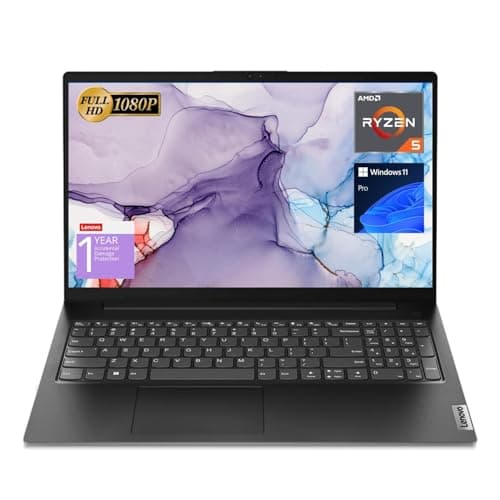
What is Intel vs AMD laptop 2026? A Complete 2026 Guide
If you’re trying to choose between Intel and AMD for your next laptop, the biggest problem is simple: every spec sheet sounds impressive, but the real-world differences are hard to decode. In 2026, the decision often comes down to Core Ultra vs Ryzen AI, battery life vs performance, and which laptop
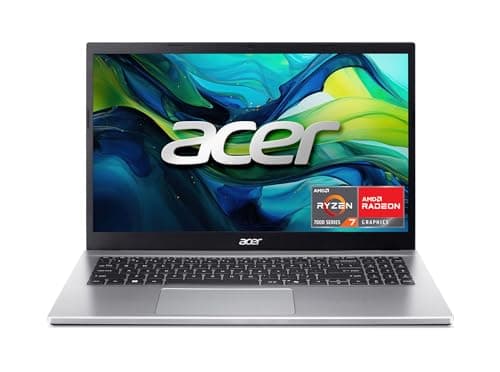
8 Best Laptops for Video Editing 2026 — Faster Renders, Smoother Timelines, Better Value
If you’re hunting for the best laptops for video editing 2026, you probably want one thing: a machine that won’t choke when you scrub 4K footage, stack effects, or export on a deadline. The picks below focus on the specs that matter most for editing—fast CPUs, enough RAM, SSD storage, and graphics t