
How to Choose the Best Graphics Card in 2026: Complete Buying Guide
Choosing the wrong graphics card can leave you stuck with poor frame rates, a bottlenecked system, or a GPU that simply does not match your monitor. If you are trying to figure out how to choose a graphics card, the good news is that the decision becomes much easier once you focus on resolution, VRAM, and power supply requirements. The most common mistake buyers make is overspending on raw GPU power without checking whether their monitor, CPU, and PSU can actually support it.
Key Features to Look For
1. Target Resolution
Resolution is the first thing to decide because it determines how hard your graphics card has to work. A card that is great for 1080p may struggle at 1440p or 4K, so match the GPU to the display you actually use.
2. VRAM Capacity
VRAM matters because modern games, creative apps, and high-resolution textures need enough memory to load assets smoothly. If you plan to game at higher settings or use demanding software, more VRAM can help reduce stutter and texture pop-in.
3. Power Supply Requirements
Your PSU must provide enough wattage and the right connectors for the card you choose. This is a major compatibility check, and ignoring it can lead to instability, shutdowns, or the need for an expensive upgrade.
4. Monitor Refresh Rate
If your monitor is 60Hz, a very high-end GPU may be wasted. If you use 120Hz, 144Hz, or higher, you need a card strong enough to push those frames consistently, especially in competitive games.
5. Cooling and Case Fit
Graphics cards vary in size, thickness, and heat output. Make sure your case has enough clearance and airflow, because a hot or oversized GPU can cause noise, throttling, or installation problems.
6. Gaming vs. Productivity Needs
Not every buyer is gaming only. If you also edit video, render 3D scenes, or use AI tools, you should prioritize workloads that benefit from stronger compute performance and more memory.
7. Overclocking Headroom
Some buyers want extra performance tuning, but overclocking only matters if you are comfortable with the trade-offs. It can increase heat and power draw, so it is best treated as a bonus rather than a must-have.
What to Avoid
Buying More GPU Than Your System Can Use
A common pitfall is buying a flagship card for a basic 1080p monitor. If your display cannot show the extra performance, you are paying for power you will never fully see.
Ignoring VRAM for Modern Games
Too little VRAM can become a problem quickly, especially with newer titles and higher texture settings. Avoid choosing a card based only on core speed without checking memory capacity.
Forgetting PSU Compatibility
Even a great GPU is a bad purchase if your power supply cannot handle it. Always verify wattage, connector type, and recommended PSU guidelines before buying.
Overlooking Case Size
Many buyers forget to measure GPU length and thickness. A card that does not fit your case or blocks airflow can create a frustrating return situation.
Chasing Marketing Hype Instead of Real Needs
Do not choose a card just because it is the newest or most talked about. Focus on your actual use case, your monitor, and the games or apps you run most often.
Our Top Picks
Best Overall Guide for First-Time Buyers



How to choose a graphics card is the most directly relevant pick if you want a simple decision framework before spending money. It is a strong fit for buyers who need help matching a GPU to their monitor, power supply, and gaming goals.
Why it helps: It is built around the exact buying questions most shoppers ask, including graphic card choice, monitor and frequency, power supply, gaming, and overclocking.
✓ Prime
- Clear guidance for choosing a graphics card based on real-world needs
- Covers monitor and frequency, which helps avoid overspending
- Includes power supply considerations for better compatibility
- Useful for gaming-focused buyers and overclocking curiosity
✗ Not a hardware product, so it is best as a decision aid rather than a performance upgrade
✗ More useful for planning than for buyers who already know exactly what they want
Best for Budget-Conscious DIY Builders
HOW TO CHOOSE THE RIGHT GRAPHICS CARD TO BUILD YOUR OWN GAMING PC : The Simple Guide to Achieving Your Own Gaming Computer is a low-cost option for readers who want a straightforward build-oriented perspective. It is especially useful if you are assembling a gaming PC and want to avoid beginner mistakes.
Why it helps: The title makes its purpose clear: helping buyers choose the right graphics card for a gaming computer build.
✓ Prime
- Very affordable entry point
- Geared toward first-time gaming PC builders
- Good for learning the basics before buying hardware
✗ Narrower in scope than a broader GPU buying guide
✗ Best for beginner education rather than advanced comparison shopping
Best for Advanced Buyers Who Want the Bigger Picture
The Graphics Card Code : A Deep Dive into GPUs, Gaming Performance, AI Processing, and the Future of Digital is a better fit for buyers who want to understand GPUs beyond basic shopping advice. It is a smart pick if you care about gaming performance and also want context around AI and future-proofing.
Why it helps: It goes deeper into GPU concepts, making it useful for shoppers who want more technical confidence before upgrading.
✓ Prime
- Explores GPUs, gaming performance, and AI processing
- Good for readers who want deeper technical understanding
- Helpful for long-term planning and future-focused buyers
- Discounted from the original price
53% OFF — Was $16.99
✗ More detailed than some casual buyers need
✗ Less practical if you only want a quick purchase checklist
Budget Guide: What You Get at Each Price Point
Under $100
At this level, you are usually looking for basic guidance rather than a premium decision resource. This is best for first-time buyers who need to understand the essentials before committing to a GPU purchase.
$100 to $300
This range is where most mainstream buyers should focus their actual graphics card shopping. For many people, the best value comes from choosing a card that matches 1080p or entry-level 1440p gaming without overspending.
$300 to $600
Here you start getting stronger 1440p performance, better VRAM options, and more headroom for high refresh-rate gaming. This is often the sweet spot for buyers who want strong performance without jumping to premium pricing.
$600 to $1,000+
This tier is for enthusiasts, 4K gamers, and users with demanding creative or AI workloads. You should only shop here if your monitor, PSU, and overall system are ready for a high-end GPU.
Frequently Asked Questions
How do I choose the right graphics card for my monitor?
Start with your monitor’s resolution and refresh rate. A 1080p 60Hz display needs far less GPU power than a 1440p 144Hz or 4K screen, so match the card to what your monitor can actually show.
How much VRAM do I need in a graphics card?
For basic 1080p gaming, less VRAM may be acceptable, but modern games and higher settings benefit from more memory. If you plan to play newer titles or use creative software, more VRAM is generally safer.
How important is the power supply when buying a GPU?
Very important. Your PSU must meet the card’s wattage needs and have the correct power connectors, or you may experience crashes or system instability.
Should I buy the most powerful graphics card I can afford?
Not always. The best choice is the card that matches your resolution, refresh rate, and overall system balance. Overspending can lead to wasted performance if the rest of your PC cannot keep up.
Is overclocking worth considering when choosing a graphics card?
Sometimes, but it should not be your main buying factor. Overclocking can provide extra performance, but it also increases heat and power use, so most buyers should prioritize stability and value first.
Get the Full PC Components & Building Buyer's Guide
Download our detailed comparison with specs, scores, and our honest verdict — delivered straight to your inbox.
Free. No spam. Unsubscribe anytime.
Was this review helpful?
Be the first to share your feedback on this review.
Sign in to vote and let us know what you think.
Discussion (0)
No comments yet. Be the first to start the discussion.
Related Reviews
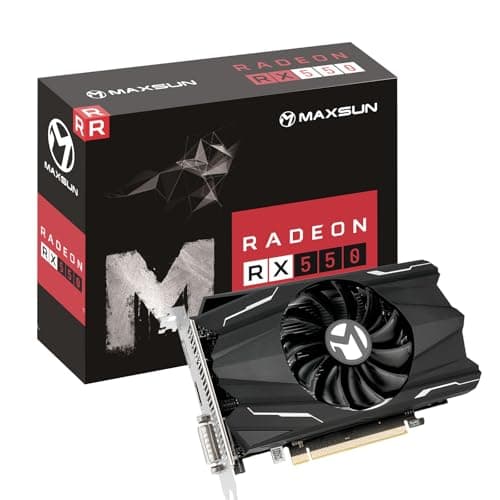
8 Best GPU for 4K Gaming 2026 — Top Picks for Smooth Ultra HD Performance
If you’re searching for the best GPU for 4K gaming 2026 , the challenge is simple: you want high frame rates, ray tracing, and enough VRAM to keep modern AAA games smooth at ultra settings. But with so many cards and prebuilt options, it’s easy to overspend on a flagship you don’t need or undershoot
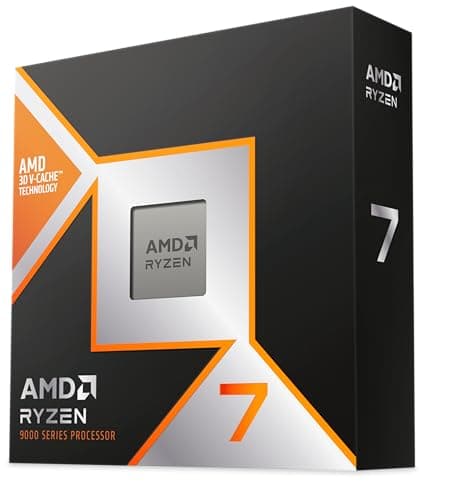
Ryzen 9800X3D 6 Month Test Review (2026): Honest Verdict After Testing
After a 6 month test, the Ryzen 9800X3D stands out less for flashy design and more for what it enables inside a well-built AM5 system. This is a standard desktop processor in physical form, but the value is in the platform compatibility and the way AMD’s 3D V-Cache implementation keeps the chip focu
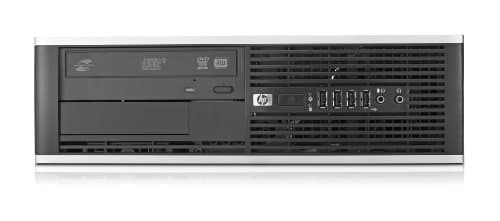
Best Gaming PCs for Every Budget in 2026: Ranked by Price & Performance
If you’re searching for the best gaming PCs under $2000 , the hard truth is that price alone doesn’t guarantee smooth gameplay, upgrade headroom, or good long-term value. The right pick depends on whether you want the cheapest way into PC gaming, the strongest value tier, or a more premium system th