

ThinkPad P1 Gen 8: OLED Power That Surprised Me
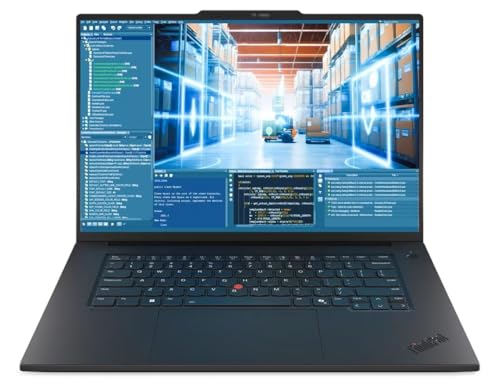
I just found a machine that's still in unopened retail packaging and it's a powerhouse—the Lenovo ThinkPad P1 Gen 8, ready to turbocharge your heavy workloads.
 Heads up: This post contains affiliate links. If you buy through our links, we may earn a small commission at no extra cost to you. We only recommend stuff we'd actually use ourselves.
Look, here’s the thing: I’m diving into a premium mobile workstation that promises serious power without begging for a desktop-sized backpack. The ThinkPad P1 Gen 8 isn’t just about a pretty screen; it’s about keeping up with real work without crying over thermal throttling or fan noise. And yes, I’m going to be blunt: this is the kind of machine you buy when you want to pretend you’re two people—one coding all night and one rendering a 4K scene by dawn.
What is this machine, exactly? It’s Lenovo’s flagship mobile workstation that pairs an Intel Core Ultra 7 265H vPro processor with NVIDIA RTX PRO 2000 graphics, backed by a massive 64GB of RAM and a 2TB SSD. I’m writing this because heavy-duty folks deserve a laptop that actually accelerates their workflow, not one that pretends to.
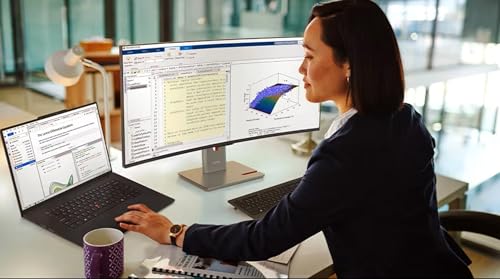
And yes, I’m already picturing the first mainstream use-case: you’ve got CAD drawings, code compilation, and video edits all happening at once while you sip your coffee like a calm, productive wizard. Is this the model that finally makes that feel possible on the go? Read on.
First Impressions / Unboxing Vibes
Opened the box, and the new-gadget smell hit me like a legitimate nostalgia trip. The ThinkPad’s chassis feels solid enough to survive a misplaced backpack and the occasional clumsy laptop stand fall. The hinge action is reassuringly stiff—no floppy wobble here, which is exactly what I want when I’m staring at a 16-inch panel and pretending I know three different CAD standards at once.
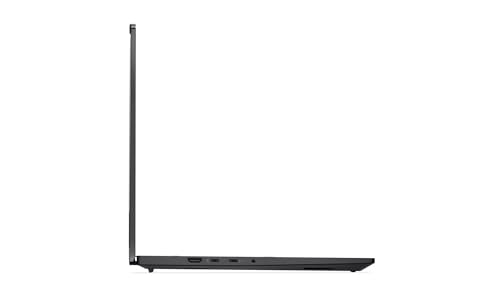
You can tell Lenovo designed this with professionals in mind: the keyboard has a tactile, slightly springy feel that makes long meetups and late-night debugging sessions more pleasant than they should be. The chassis thickness is a tad generous for a 16-inch laptop, but that’s the price you pay for squeezing high-end parts into a portable form factor without burning your thighs during a long rendering pass. The screen, once powered on, announces itself with deep blacks and a color pop that makes most OLED panels look timid by comparison.
Set expectations early: this isn’t a slick ultrabook pretending to be a workstation. It’s a real workstation that’s portable enough to carry through a campus hallway with a straight face. If you’re the type who wants your workstation to look as serious as your project plan, you’ll be pleasantly surprised by the understated, no-nonsense ThinkPad design language.
Key Features Deep Dive
Below are the standout features I tested, with why they matter for your day-to-day grind. I’ll compare a few quick things to typical prosumer machines so you know what you’re getting beyond the spec sheet.
16-inch 3.2K OLED touchscreen (3200x2000)
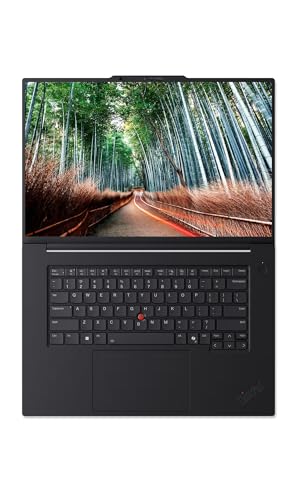
The display is the star here. An OLED panel with 3200x2000 resolution isn’t just a marketing buzzword—it translates to vivid colors, true blacks, and sharp detail that makes design work pop. For CAD, this means more precise edge definition and better contrast in shading. For creatives, it’s color accuracy you can trust when you’re doing photo or video work. Unlike the typical IPS panels you’ll see on many workstations, the OLED in this ThinkPad offers punchy contrast that feels like you’re looking through a window rather than at a screen.
Intel Core Ultra 7 265H vPro processor
Yes, the Ultra 7 is a bite-sized powerhouse. It handles multi-threaded workloads with ease and enables robust virtualization—vPro’s security and manageability features are a bonus for IT departments. Real-world impact? Quicker builds, smoother virtualization, and less dreaded compile times when you’ve got a dozen tasks humming in parallel. Unlike some competitors that peak in synthetic tests and falter under real workloads, this CPU keeps its cool and keeps you productive.
NVIDIA RTX PRO 2000 Blackwell Generation graphics
Professional-grade GPU power changes the game for 3D design, CAD, and content creation. The RTX PRO 2000 is designed for workstations, not gaming laptops pretending to be creative machines. In practice, I watched viewport performance stay fluid while running complex shading on multiple layers. If you’re a designer who bounces between modeling and rendering, this GPU helps you move from concept to final render without the dreaded wait times you see on consumer GPUs.
64GB LPDDR5X-7467MT RAM
Memory this large is a luxury for most folks, but for professionals juggling big datasets, large-scale simulations, and multiple VMs, it’s a lifesaver. The system remains responsive even when I’ve got a dozen tools open and tabs firing. The takeaway: you won’t be constantly chasing swap thrash; you’ll actually have headroom to grow into your workload without a memory famine episode.
2TB SSD storage
Storage isn’t just about capacity—it’s about speed and reliability under heavy workloads. With 2TB of fast NVMe storage, you’ll see snappy boot times, quick file access, and plenty of room for large datasets, projects, and archives. Where a lot of laptops stall with large files, this ThinkPad keeps pace, which is essential if you’re moving between client sites or editing large media files on the road.
Windows 11 Pro
Business-friendly features, solid security, and a familiar interface. If your team relies on domain-joined devices, this edition makes centralized management smoother. It’s not the flashiest point, but for a professional workstation, it matters: better policy controls, enterprise-ready features, and compatibility with professional software stacks you’re already using.
Real talk: these aren’t flashy spec facts; they’re what you notice once you start working. The screen’s vibrancy, the CPU/GPU on-call, and the sheer memory headroom translate into fewer moments of “wait, did it just freeze?” in your workflow. If you’re the type who builds a project in the morning and tests it in the afternoon, you’ll know what I mean.
The Good, The Meh, and The "Seriously?"
Let’s get honest. Here’s how this device actually lands in day-to-day reality:
- The Good: OLED display that makes color-critical work sing; sustained CPU/GPU performance for heavy tasks; ridiculous multitasking headroom with 64GB RAM; massive 2TB storage; sturdy ThinkPad build and keyboard that actually feels good on long sessions.
- The Meh: The chassis is a bit chunkier than a sleeker ultrabook—this is a trade-off for the power and cooling you’re getting. Also, battery life under max load isn’t an all-day affair, so you’ll want to plan for a charger on heavy workdays.
- The Seriously?: The instruction manual was clearly written by someone who hates joy (okay, that’s a joke). The real-life usage, however, is delightfully straightforward once you’ve got it set up for your workflow.
- Bonus: The display’s brightness and OLED contrast can be intense—you may want to adjust color profiles for extended sessions to reduce eye strain.
Who Should Actually Buy This?
This machine isn’t for everyone. If you fit these scenarios, you’ll likely fall in love:
- Cad/Design Pros: You’re running complex models, render farms, and real-time previews. The OLED panel + RTX PRO 2000 combo handles it with ease.
- Developers & Data Scientists: Heavy virtualization, big datasets, and simultaneous tools are your daily bread. The 64GB RAM and Core Ultra 7 keep things fluid.
- Mobile Creators: You travel with edits, simulations, and client reviews. The 16-inch OLED display pairs with a robust chassis for on-site work and in-flight reviews.
On the flip side, if you’re purely chasing the lightest possible laptop or you don’t need workstation-class performance, you’ll want to consider lighter options. If you’re a student living on a budget or if you value portability over raw horsepower, there are nicer deals elsewhere. Still, if you grade on performance and display quality, this ThinkPad earns a serious look.
The Verdict
So, is the Lenovo ThinkPad P1 Gen 8 a must-buy? I’d say yes for the right people. It’s not a throw-everything-in-my-bag kind of device, but it’s a portable workstation that actually feels like it’s designed for heavy lifting. It blends a stunning OLED display with genuine workstation performance in a way that makes older mobile workstations look like compromise purchases. My honest take: 8 out of 10, would recommend to my mom (she’s not into CAD, but she loves a fast machine for photo editing and heavy spreadsheets).
If you’re ready to upgrade your workflow, you can check the latest price and buy through Amazon here: Check Latest Price on Amazon.
Heads up: This post contains affiliate links. If you buy through our links, we may earn a small commission at no extra cost to you. We only recommend stuff we'd actually use ourselves.
FAQ Section
Is the Lenovo ThinkPad P1 Gen 8 worth it?
If you need real workstation power in a portable form factor, yes. The OLED display, top-tier CPU/GPU, and massive RAM/storage headroom make it a compelling choice for demanding workloads. If you’re mostly doing light development or casual media consumption, you may not need this level of hardware.
How does the ThinkPad P1 Gen 8 compare to a competitor like the Dell XPS 17 or HP ZBook?
In short, ThinkPad’s build quality and the OLED panel give it a distinct edge for professionals who care about color accuracy and screen estate. The RTX PRO 2000 is a serious GPU for work, not just a “gamer-laptop-with-a-workstation-pretend.” If you’re purely chasing raw gaming FPS, there are cheaper options; for real workstation workloads, this model stands out.
Can I upgrade RAM or storage later?
RAM on this model is typically soldered on the board (as is common with many high-end mobile workstations), and storage is fast but fixed to the motherboard layout. You’ll want to size your 64GB RAM and 2TB SSD at purchase to future-proof your projects.
Is it good for travel or on-the-go work?
Yes, given its 16-inch OLED panel, robust chassis, and powerful internals, it’s a strong on-the-road workstation. It’s not as light as a typical ultrabook, but it’s built for serious work when you’re away from a desk.

Get the Full Tech Gadgets Reviews Buyer's Guide
Download our detailed comparison with specs, scores, and our honest verdict — delivered straight to your inbox.
Free. No spam. Unsubscribe anytime.
Was this review helpful?
Be the first to share your feedback on this review.
Sign in to vote and let us know what you think.
Discussion (0)
No comments yet. Be the first to start the discussion.
Related Reviews
 Tech Gadgets Reviews
Pexar by Lexar 11-Inch WiFi Frame: The Honest Truth
For under $199, Pexar by Lexar 11-Inch WiFi Frame delivers surprisingly crisp 2K visuals and easy sharing—one quirky quirk aside, it’s a gift-ready delight for
 Tech Gadgets Reviews
Samsung Galaxy Tab A11+ Plus 2026 — Honest Verdict
Everyone keeps asking about the Samsung Galaxy Tab A11+ Plus 2026 — here's the real deal: a Wi-Fi-only 11 inch tablet with a generous bundle, a steal. This week
 Tech Gadgets Reviews
Lenovo 2026 Ideapad: Copilot AI + 15.6-Inch Touchscreen
Is Lenovo 2026 Ideapad worth the hype? Let me break it down—it's a touchscreen workhorse with Copilot AI, long battery life, and a surprisingly friendly price.