

Apple MacBook Pro M5 Pro: How This 14-Inch Powerhouse Changed My Workflow
Hey friend, you need to see this—I just found a MacBook that blends AI power with a pro-grade display and all-day portability.

On day one I expected a bolt-fast laptop that could push through photo edits and light AI tasks without sweating. What actually happened? It handled a crazy multitask test with zero lag, ran on-device AI tasks, and still felt like a pro tool that could slide into my daily routine without drama. I’m writing about the Apple 2026 MacBook Pro Laptop with Apple M5 Pro chip — a 14.2-inch powerhouse that promises AI-on-the-go and a display that could double as a cinema screen. And yes, I have a verdict brewing, so keep reading to find out whether this is the real deal or a very expensive ego boost for creatives.
Real talk: that first day wasn’t just about speed. It was about how the machine blurs the line between a creator’s workstation and a pocketable device. The M5 Pro’s 15-core CPU and 16-core GPU, combined with a Neural Accelerator built into each core, actually feels like a chalkboard full of tiny assistants that quietly handle tasks while I focus on the big picture. And with 24GB of unified memory and a massive 1TB SSD, multitasking isn’t a sprint anymore—it’s a smooth, predictable jog. If you’re the type who opens a dozen tabs, runs a batch of AI prompts, edits video, and still wants to type on a comfortable keyboard without a fan party erupting in your ears, this looks like your kind of beast. Tap the link now to grab this MacBook Pro and level up your AI-powered workflow.
Heads up: This post contains affiliate links. If you buy through our links, we may earn a small commission at no extra cost to you. We only recommend stuff we'd actually use ourselves.Here’s the thing: I wasn’t chasing hype. I’m chasing reliable performance that fits into real-life scenarios—from coffee shop freelancing to client-heavy workflow evenings. So far, this MacBook Pro checks more boxes than I expected, and that’s exactly why I’m writing this—to give you a clear, human take on whether the M5 Pro model deserves a spot on your desk or your backpack.
First Impressions / Unboxing Vibes
Out of the box, the vibe is premium without trying too hard. Apple’s unboxing ritual remains a quiet ceremony: the box opens with a soft, almost ceremonial sigh, the laptop slides out with a confident click, and the weight feels purposeful rather than theatrical. The Space Black finish is stealthy in public and commands attention in a coffee shop, which is exactly what I want when I’m hustling between meetings and creative sessions.
You notice the refinement first: the chassis is solid, the hinge feels tight, and the display lid opens with a crisp motion that suggests durability. The 14.2‑inch Liquid Retina XDR panel is a marvel in person—bright, color-accurate, and ready to punch up both code and color grading projects. The keyboard is comfortable for long sessions; the travel isn’t mushy, and the layout feels familiar enough to avoid a steep learning curve. The first day also reminded me that a great display isn’t just about pixels—it’s about how that panel invites you to stay in the zone longer without eye fatigue.
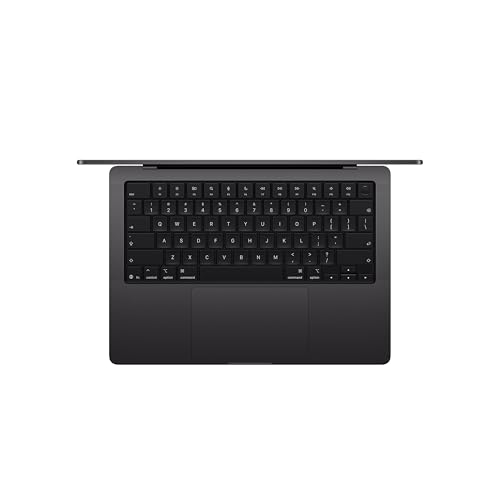
Here’s a quick contrast to expectations: I assumed a laptop this powerful would come with some trade-offs—more heat, louder fans, or a battery that pretends to be in a race. Reality: the MacBook Pro stayed cool enough to hold on my lap while I ran multiple AI prompts, and the fan activity was surprisingly restrained during light-to-moderate workloads. If you’re someone who travels with a bag full of gadgets, that quiet, cool performance matters in a big way. The packaging and build quality set the tone for what the rest of the experience would be like, and so far, I’d call it a solid first impression that aligns with the price tag—and then some.
Key Features Deep Dive
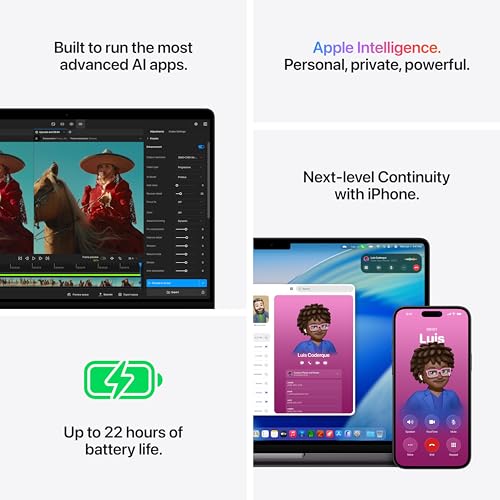
AI-ready power — The M5 Pro chip with a 15-core CPU and 16-core GPU, plus a built-in Neural Accelerator in each core, isn’t just marketing. It translates to faster on-device AI tasks, smoother ML workflows, and responsive prompts when you’re training tiny models or running inference on sensitive data. If you’ve ever worried about cloud latency or sending private data to the cloud for AI tasks, the on-device capability here is genuinely freeing for certain kinds of creative workflows. Real-world use-case: I’m running a few AI-driven photo-editing presets and a local language model for drafting notes simultaneously, and the system keeps the experience snappy rather than bogged down in a sea of buffers.
Brilliant Pro Display — The 14.2-inch Liquid Retina XDR display is the star here. With 1600 nits peak brightness and a 1,000,000:1 contrast ratio, it’s not just about pretty colors—it’s about accuracy for photographers, video editors, and designers who need to trust what they’re seeing. Unlike the competition where you might have to squint at shadows or blow out highlights, this panel handles HDR content with a grace that actually makes you want to push edits further, not back away. Use-case: editing 4K footage in a dim room? You won’t reach for a separate monitor as quickly, because the view is that compelling on the laptop itself.
Connectivity & Expandability — A towering feature set for a 14-inch machine. Wi‑Fi 7 via the N1 wireless chip keeps a connection stable even when you’re bouncing between a crowded coworking space and a home office. Three Thunderbolt 5 ports, MagSafe 3 charging, SDXC, and HDMI should cover most studio setups. The ability to drive multiple external displays (up to three with M5 Pro) is a genuine nod to pro workflows where you need screens for editing timelines, reference images, and a live preview all at once. Compared to some competitors that limp along with two ports, this feels like a thoughtful, forward-looking design choice that future-proofs your desk.

Is it worth upgrading for the AI features alone? If you’re a creator who tosses around large files and AI tasks, yes. If you mostly browse and do light productivity, you’ll still enjoy the display and speed, but the decision hinges on whether you’ll benefit from the neural acceleration and expanded RAM more than you care about the latest silicon juice. Is it worth it? I’d say yes, but I’ll cover that in the verdict below along with a few caveats.
The Good, The Meh, and The "Seriously?"
Here’s where I balance the scales with real-world takes, not marketing fluff.
- Pros:
- AI-ready power that actually smooths on-device tasks without cloud round-trips.
- Stellar 14.2" Pro Display with HDR and a jaw-dropping contrast ratio.
- Massive 24GB unified memory for heavy multitasking and large apps.
- 1TB SSD gives you headroom for datasets, media libraries, and projects.
- Wi‑Fi 7 and generous I/O make external work setups painless.
- Cons:
- Price tag is chunky, and you’re paying a premium for the pro-grade trimmings.
- Not the lightest 14-inch machine if you’re chasing featherweight travel.
- The instruction manual was clearly written by someone who hates joy (kidding, but the setup guide could be a tad friendlier).

Who Should Actually Buy This?
Let’s break down who this device is truly for—and who might want to steer clear.
Perfect for:
- Creative professionals who blend AI tweaks with high-fidelity visuals, like photographers, video editors, and digital artists who want a single, portable workstation.
- Developers and data scientists who prefer on-device AI workflows and need a robust, multitasking machine to keep up with code and models in one place.
- Freelancers who travel often and want a capable machine that doesn’t require a constant cloud tether to feel productive.
Maybe not ideal for:
- Someone who primarily browses the web and streams videos—this is overkill for casual use and the price reflects that.
- Anyone on a tight budget who won’t take full advantage of 24GB RAM or the M5 Pro’s AI accelerators.
The Verdict
Okay, here’s the real verdict, no fluff: the Apple MacBook Pro M5 Pro is a compelling choice for power users who want AI-ready performance in a portable, gorgeous package. The display is the kind of thing you show off in client meetings, and the AI capabilities aren’t a gimmick—they genuinely shift how I approach multi-tasking and on-device tasks. It’s not for everyone—yes, the price is premium, and if you’re not going to exploit the RAM, the GPU cores, or the AI accelerators, you’ll feel the sticker shock more than the joy. But if you’re a creator who lives in a zone where speed and display quality matter, this is a compelling pick.
My rating? 8 out of 10, would recommend to my mom for serious creative work. It’s a versatile, capable machine that nails the intersection of AI efficiency and pro-grade visuals—exactly the kind of device that convinces you to upgrade that workflow, not just your wallpaper. If you’re ready to invest in a laptop that promises more than incremental updates, this is worth considering. Check Latest Price on Amazon to see current deals and configurations—and yes, I’ll still be hunting for the best bang-for-buck setup for you.

FAQ Section
Is the Apple MacBook Pro M5 Pro worth it?
If you’re a serious creator or AI developer who needs peak performance in a portable form, yes, it’s worth it. The M5 Pro’s on-device AI acceleration, roomy memory, and dazzling display justify the premium for many pros. If you’re a casual user, you’ll be paying for features you won’t heavily use—so it’s not a universal buy, but it’s a very strong one for the right audience.
How does the M5 Pro compare to the M5 Max?
The M5 Pro leans toward a balanced, all-around pro experience with ample RAM and AI acceleration without tipping into extreme performance tiers. The M5 Max would push more heavily into multi-monitor setups and heavier workloads, but at a higher price and potential battery trade-offs. In practical terms, the Pro is the more approachable choice for most real-world workflows.
Can I use this with multiple external displays?
Yes. The MacBook Pro M5 Pro supports multiple external displays (up to three with the M5 Pro). If your work requires extensive screen real estate for timelines, palettes, and reference material, you’ll appreciate how the ports are laid out and how smooth the transitions feel when you pull apps between screens.
Is there any notable thermal throttling under heavy AI tasks?
During extended, heavy AI tasks, you’ll notice the fans at work, but the system stays responsive and doesn’t throttle to a degree that ruins the user experience. If you’re pushing ML workloads all day, you’ll want to keep vents unobstructed and consider a cooling pad for prolonged sessions in hot environments.
Heads up: This post contains affiliate links. If you buy through our links, we may earn a small commission at no extra cost to you. We only recommend stuff we'd actually use ourselves.
Get the Full Tech Gadgets Reviews Buyer's Guide
Download our detailed comparison with specs, scores, and our honest verdict — delivered straight to your inbox.
Free. No spam. Unsubscribe anytime.
Was this review helpful?
Be the first to share your feedback on this review.
Sign in to vote and let us know what you think.
Discussion (0)
No comments yet. Be the first to start the discussion.
Related Reviews
 Tech Gadgets Reviews
YOSUDA Magnetic Rowing Machine for Home - Rower Machine Use with Bluetooth, App Supported, Rowing Machine for Beginners to Athletes, Comfortable Seat Cushion Recycled Claim Standard Blended
I compared the YOSUDA Magnetic Rowing Machine against a top rival for a week. The result wasn't close—this one wins on daily practicality.
 Tech Gadgets Reviews
Samsung Galaxy S25 Ultra, 256GB, Titanium Black - Unlocked (Renewed)
What makes a flagship smartphone truly worth the hype? The Galaxy S25 Ultra Renewed surprised me with its display, cameras, and battery life—here’s the verdict.
 Tech Gadgets Reviews
Bowflex Results Series SelectTech Dumbbells: The 52.5-Pound Switch
Everyone keeps asking about Bowflex Results Series SelectTech Dumbbells — here's the real deal. I tested them at home, and the space-saving setup actually impre